Sync LX
Industry
Design
Client
SyncLX
Service
App UX/UI Design
Date
February 2020
An emblem is a graphical mark, stamp, or emblem utilized to promote and encourage broad awareness and acceptance. It may present as a metaphorical or imaginative figure or include the term it represents, as illustrated in a logotype.
UX Case Study
Aniruddha
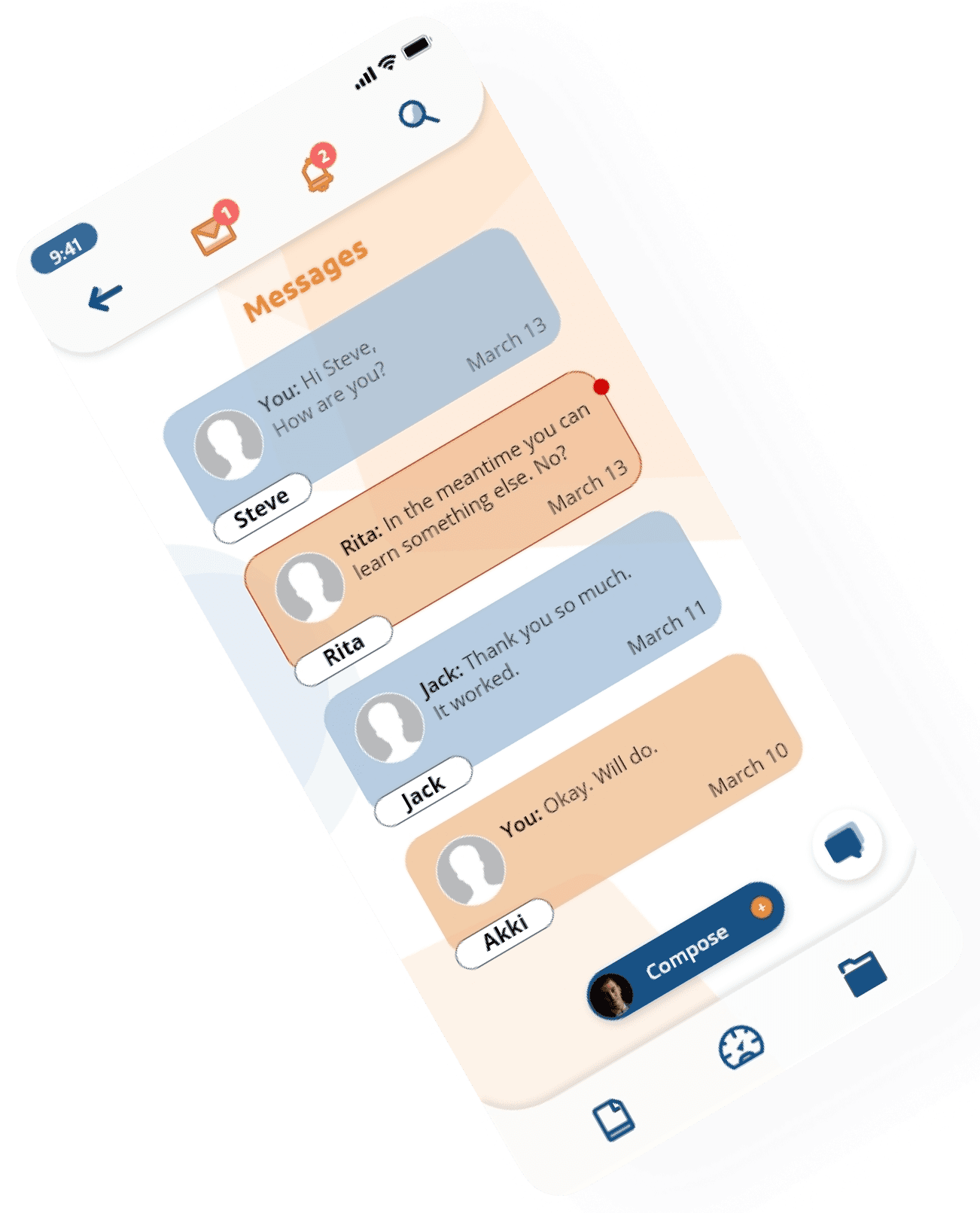
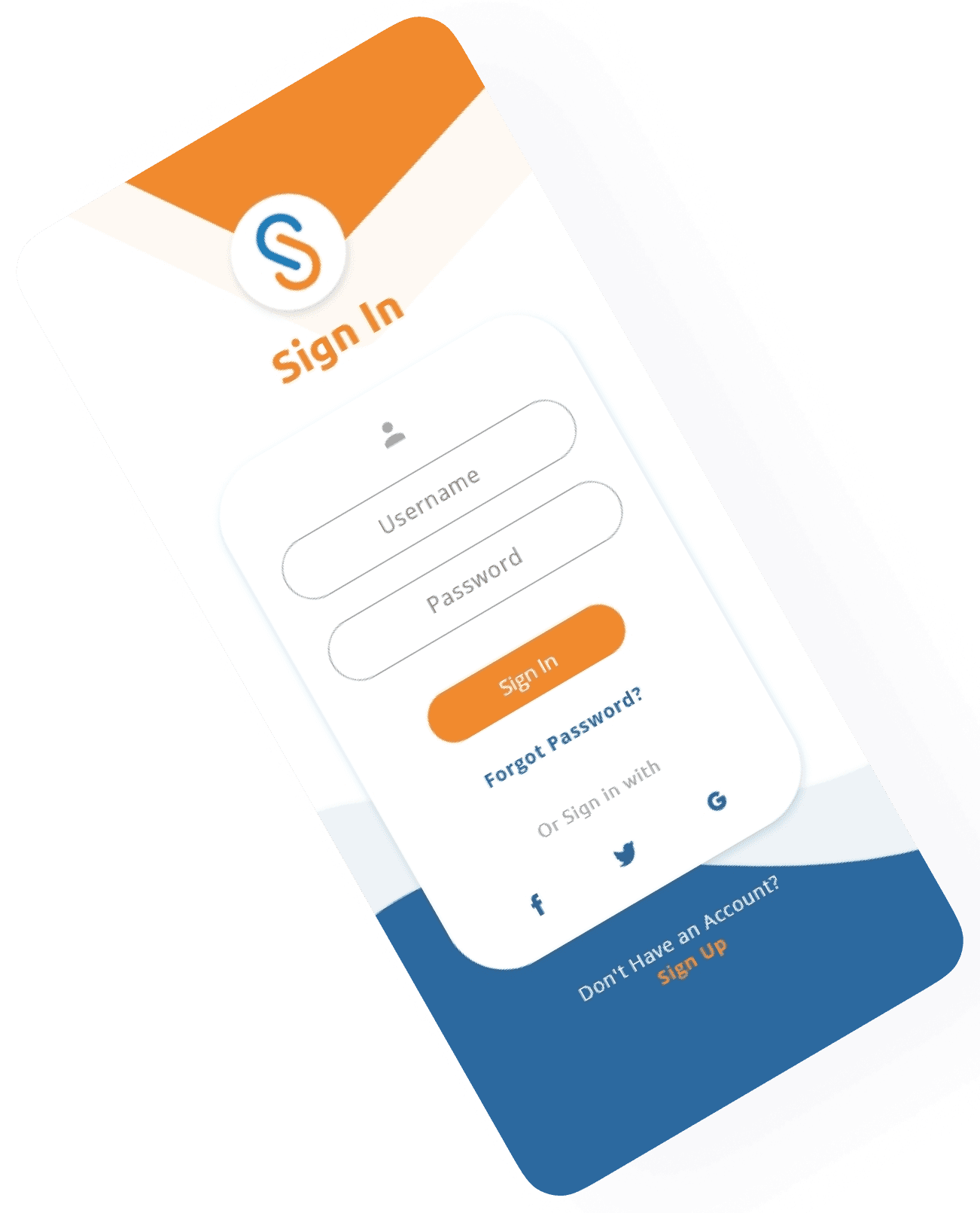
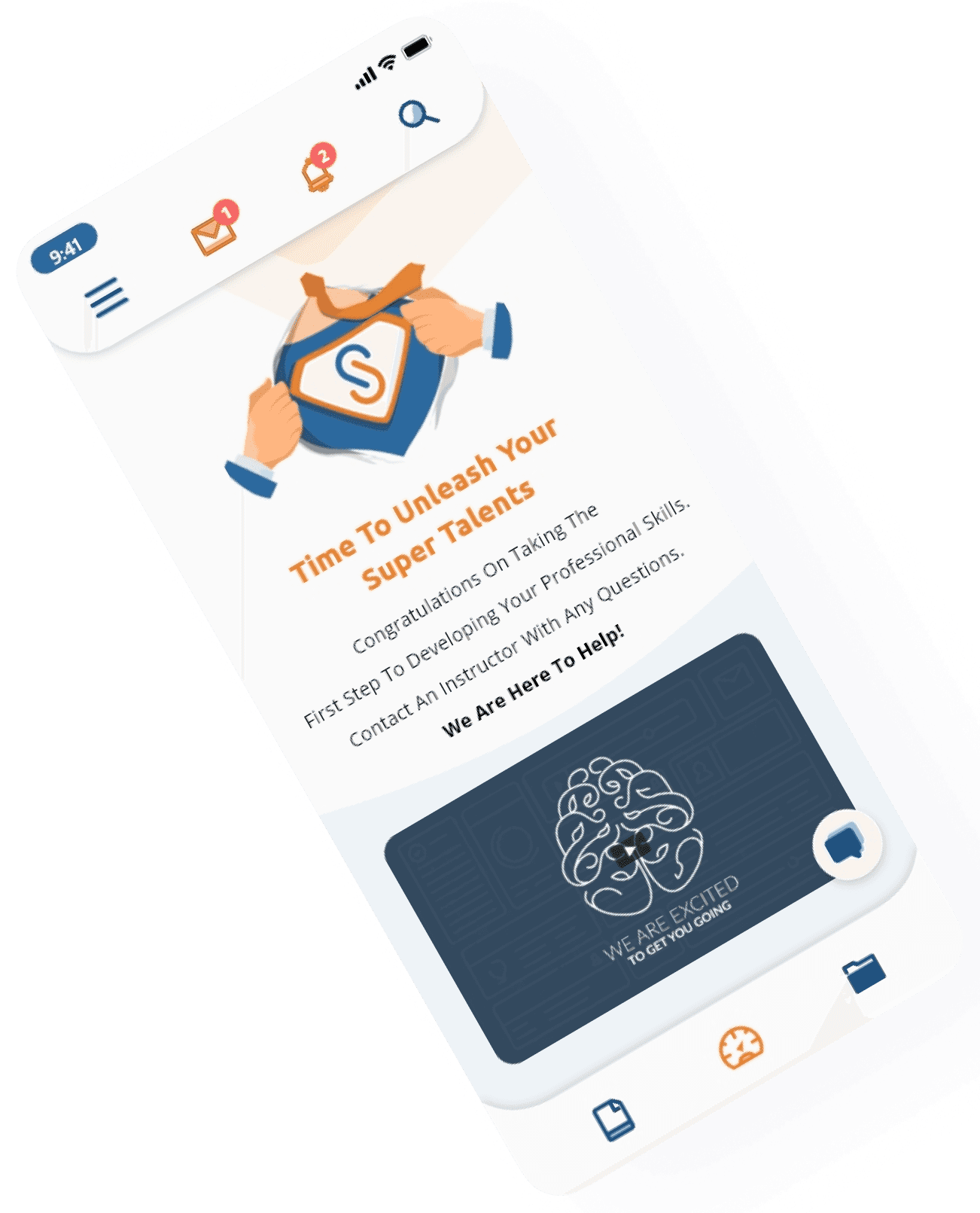
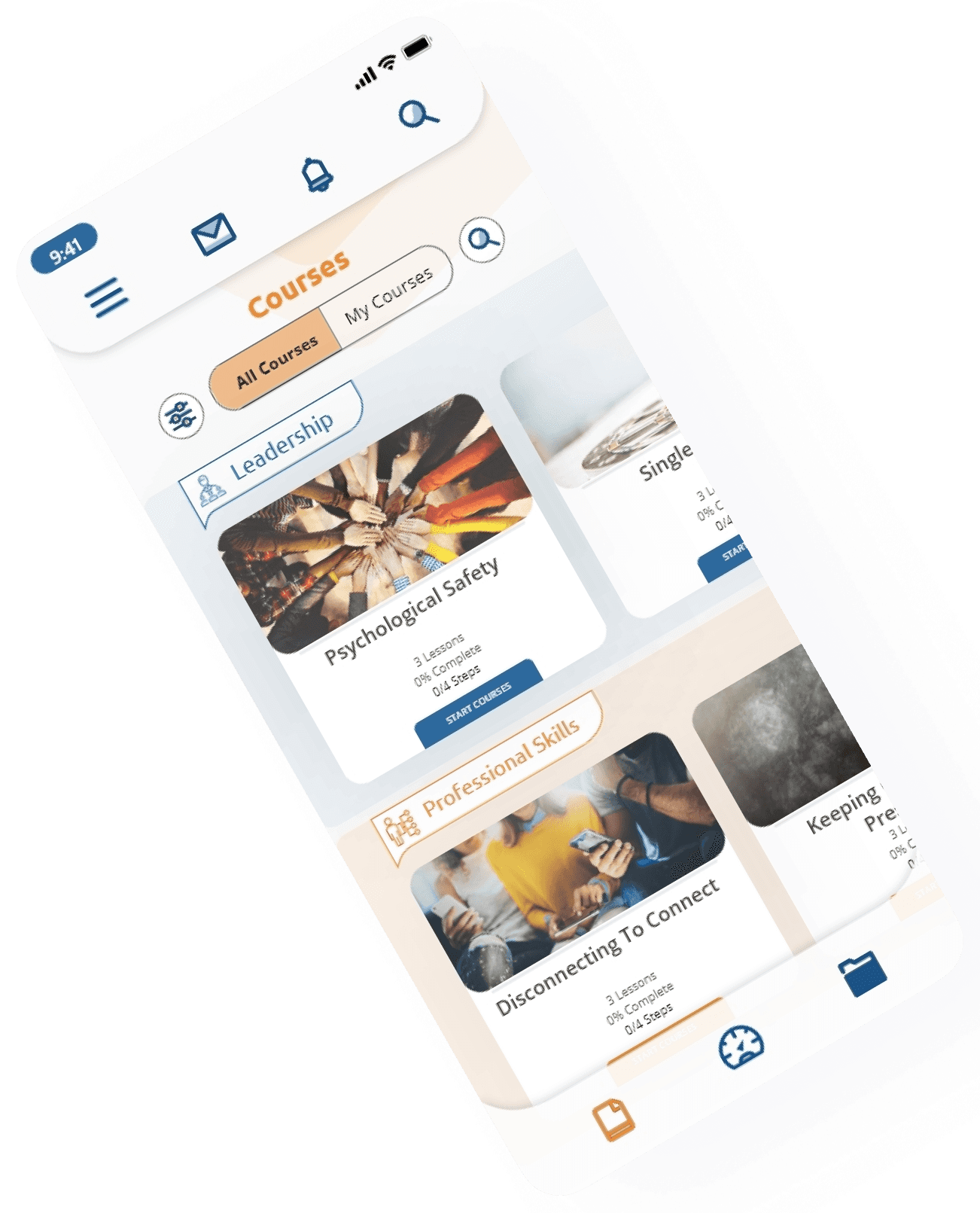
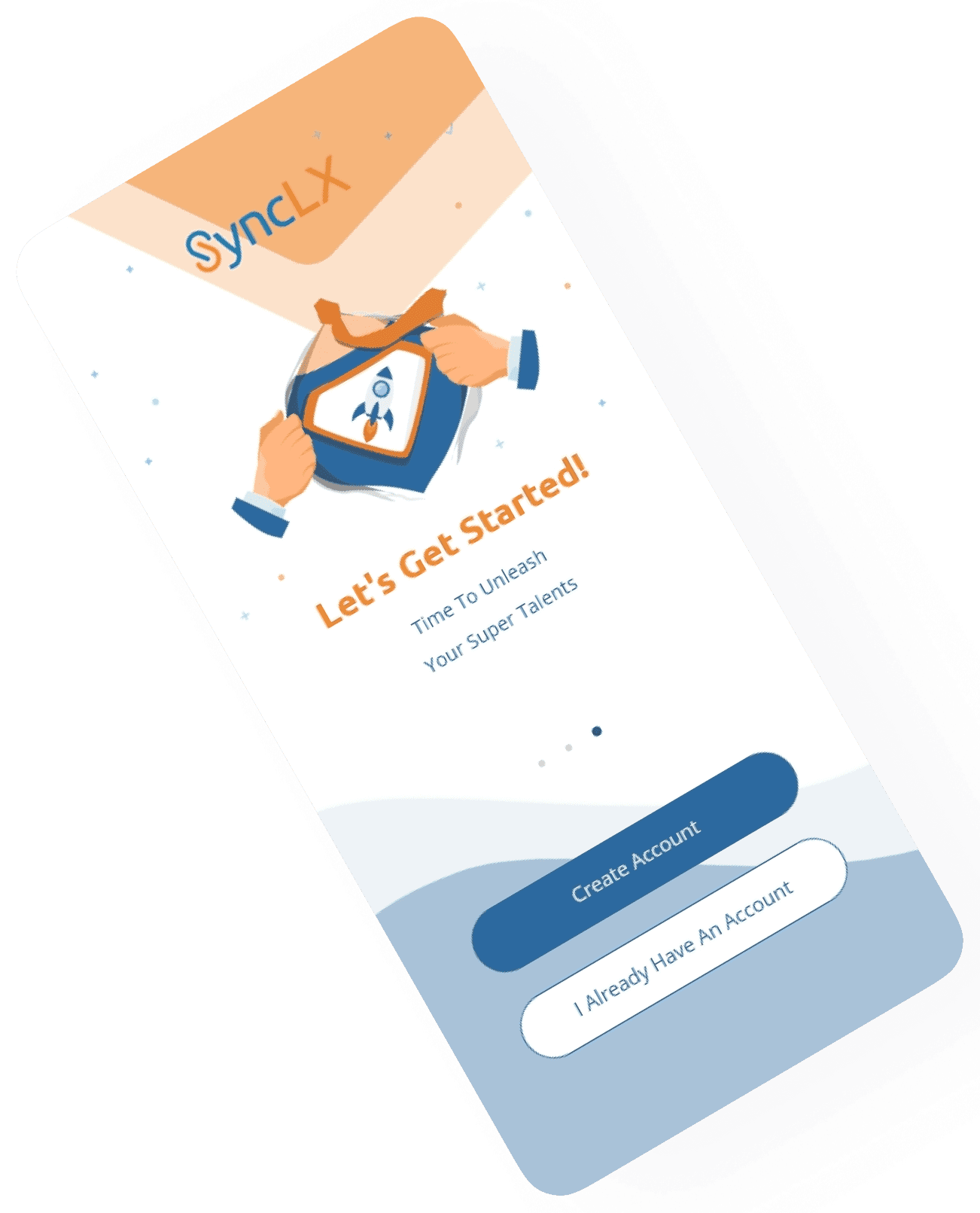

Unleash Your Potential. Sync It Up with SyncLX.
SyncLX App
Project Brief
SyncLX, a learning platform, decided to create its new mobile app to offer its curated courses to the audience. Previously, SyncLX existed solely as a display website, showcasing its instructors and expertise. With a library of pre-recorded courses waiting to be launched, SyncLX aimed to build a user-friendly and engaging mobile app to deliver them effectively.
This UX design case study details the entire process of creating the SyncLX mobile app, focusing on overcoming key challenges and crafting an exceptional learning experience for mobile users.
Objectives & Goals
Create a seamless and intuitive mobile app for SyncLX upon their existing brand identity while offering a fresh, mobile-optimized experience. Key functionalities to consider include:
Member Login: Design a secure and user-friendly login system.
Course Navigation: Create a easy way for users to access course library, categorized by subject.
Offline Learning: Courses can be downloaded offline.
Community Building: Explore initial ways to foster a sense of community within the app, encouraging interaction and knowledge sharing among learners.
Design Process
Discover

User Research
User surveys and interviews were conducted to understand user preferences, learning habits, and pain points regarding mobile learning apps.
Secondary Research & Competitive Analysis
Research included analyzing existing mobile learning platforms; identify best practices, user trends, and potential gaps. Additionally, internal resources like brand guidelines and instructor content were reviewed.
Define

User Persona Development
Based on user research, user personas like "Sarah, the Busy Professional" and "David, the Collaborative Learner" were created to guide design decisions. These personas captured user goals, frustrations, and needs related to mobile learning.
Problem Statement Refinement:
The research findings helped refine the initial problem statement: Research revealed a need to evolve the problem statement. We want a mobile app that fosters a learning community, not just delivers courses.
Ideate

Brainstorming
Brainstorming sessions focused on translating SyncLX's brand identity and course content into an intuitive mobile app experience. Ideas for core functionalities, information architecture, and user flows were generated.
Feature Prioritization:
Based on user needs and business goals, features were prioritized to ensure a well-rounded mobile app experience within the initial launch phase
Design

Low-Fidelity Prototyping
Low-fidelity prototypes visualized initial ideas for navigation, information architecture, and core features. These basic models focused on user flows, user interface elements, and content organization.
Usability Testing & Iteration:
Low-fidelity prototypes were tested with a small group of users to gather feedback on usability, information clarity, and user flow.
High-Fidelity Prototyping:
Based on the research and testing, high-fidelity prototypes mimicking the final app's look and feel were created.
The Context
The mobile learning market is booming, with a growing demand for flexible and accessible learning opportunities. Users are increasingly turning to mobile devices for learning due to their convenience and portability. However, this shift necessitates a mobile-first design approach that prioritizes clear navigation, bite-sized content, and efficient information consumption on smaller screens.

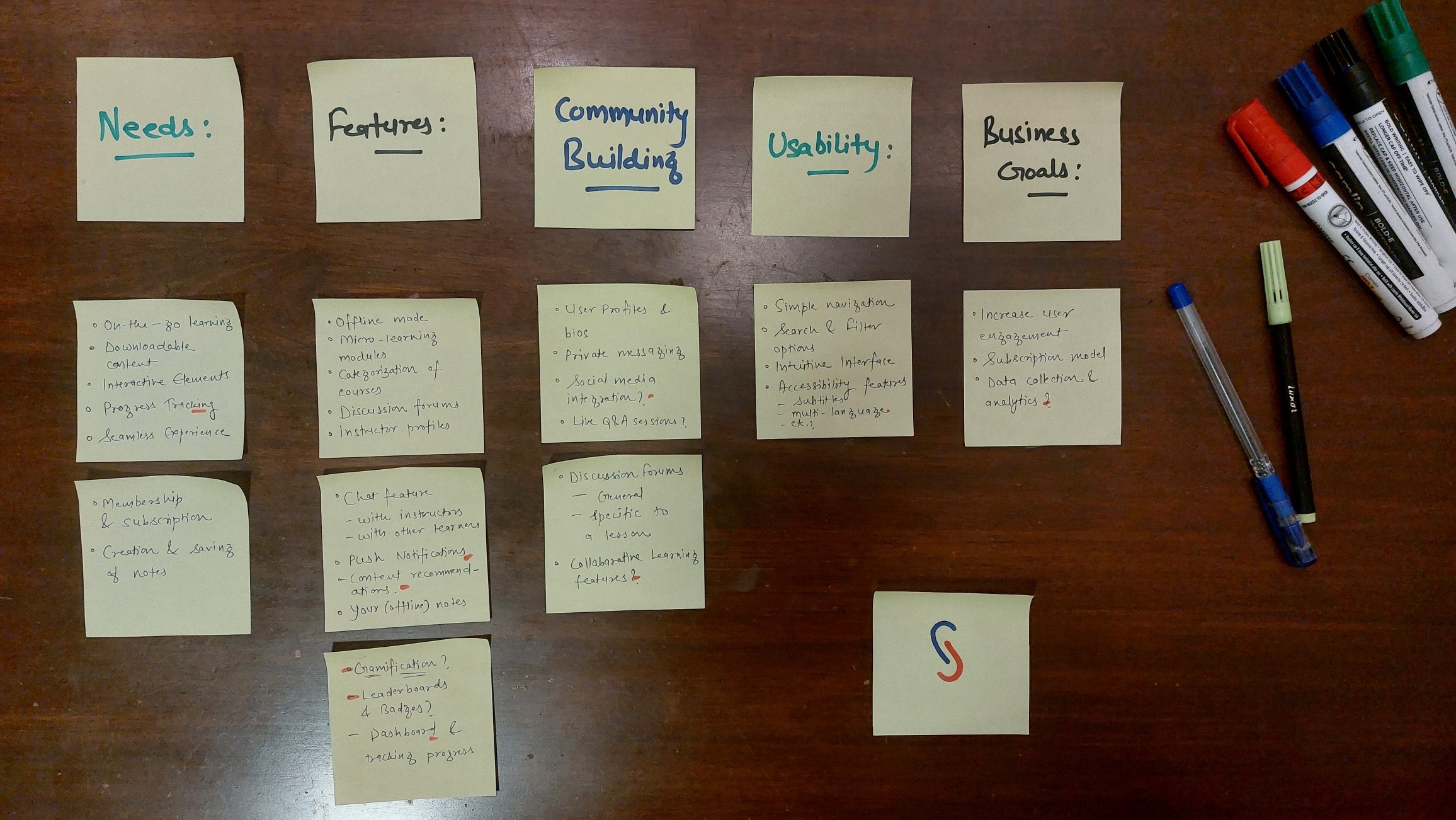
Exploration
Brainstorming ideas for the app’s features and contents.
Success Criteria
Easy to Use & Navigate: Intuitive interface that caters to users of all technical backgrounds.
Engaging & Interactive: Design elements that keep users motivated and invested in their learning journey.
Visually Appealing: Maintain brand consistency while creating a modern and visually appealing app experience.
Scalable & Flexible: Accommodate future growth and the addition of new features seamlessly.
The ideal SyncLX app should be:
Challenges
Mobile-First Design: Since the mobile app was the primary platform for delivering courses, the design had to prioritize a mobile-first approach. Navigation, information hierarchy, and content delivery all needed to be optimized for smaller screens and user interaction on mobile devices.
Information Overload: SyncLX's extensive course library posed a challenge for mobile navigation. Users needed an intuitive way to discover relevant courses without feeling overwhelmed.
Desktop-to-Mobile Transition: Adapting some existing content from desktops to smaller phone screens required careful consideration. Ensuring clear information presentation and user comfort was crucial. Many new phone specific content/ features needed to be designed with proper care.
Building a Mobile Learning Community: Fostering the sense of community present on the website within the mobile app was a challenge. Encouraging interaction and knowledge-sharing was a key goal.
Motivation & Retention: Keeping users engaged with their learning journey on mobile devices required innovative solutions. Gamification and micro-commitments were explored and planned for future releases.
The primary challenge was to design a mobile app from the ground up, translating SyncLX's brand identity and expertise into a seamless and intuitive learning experience. Here's a breakdown of the key areas addressed:


Product Users
The target audience is the working (and the graduate) population, i.e. mostly anyone between the age of 20-60.


Quantitative Research
70%
70% people access eLearning courses on mobile devices
68%
68% of learners report better knowledge retention through interactive learning experiences
47
Learners spend an average of 47 minutes per mobile learning session: This data can inform decisions about content delivery formats and lesson length optimization for mobile consumption.
Here are some statistics that were kept in mind and influenced the creation of the SyncLX Mobile App
Primary Research
Demographics: Age, occupation, education level.
Learning Habits: Preferred mobile learning platforms, preferred learning formats (video, text, quizzes), frequency of mobile learning.
Pain Points: Challenges faced with existing mobile learning apps, desired features in a new app.
Community Building: Interest in interacting with other learners and instructors, preferred methods of interaction (forums, chat, etc.).
The questionnaire circulated among potential users within my colleagues and SyncLX employees (representing end-users) included the following:

Sarah
Marketing Manager
About
32
United States
MBA
Employee
User Persona #1
About Sarah, The Busy Professional
Sarah (32, Marketing Manager) juggles a demanding job with limited free time.
A day in their life
During her commute, Sarah uses her phone and wishes there was a more productive way to utilize this time for learning. At work, during short breaks, she would like to access bite-sized learning modules.
Pain points
Limited time for in-depth learning due to her busy schedule. Learning platforms are very cluttered and complex to access during commutes or breaks.
Maslow Pyramid
Self Actualisation
Love Belonging
Safety
Physiological
Esteem
There's just not enough time in the day for traditional classes. I need to learn new skills on the go, during my commute or breaks.

David
Software Engineer
About
26
Canada
BE
Employee
User Persona #2
About David, The Collaborative Learner
David (25, Software Engineer) thrives in interactive learning environments and prefers engaging with instructors and fellow learners.
A day in their life
In the evenings, David dedicates time to e-learning on his phone after work. He wishes there was a mobile app that facilitated discussions with instructors and classmates to solidify his understanding.
Pain points
Feels traditional video lectures can be passive and lack interaction. It leaves him feeling isolated and he loses his motivation to learn.
Maslow Pyramid
Self Actualisation
Love Belonging
Safety
Physiological
Esteem
I learn best by discussing and collaborating with others. A mobile app that connects me with instructors and classmates would be ideal.
Competitor Analysis
Diverse range of courses.
Mostly unfiltered. Anyone can upload their courses for their Udemy Business Account.
Features :
Udemy offers shorter, less expensive courses that some say are good for learning basic skills.
Udemy
Coursera offers in-depth university-level courses that some say are good for mastering skills
SyncLX solves the problem of limited access to high-quality learning experiences on mobile devices.
University (& organisation) affiliated courses
Valuable but expensive certifications affiliated with recognised organisations/colleges.
Features :


Coursera
High-quality curated courses by SyncLX instructors
Healthy community of learners and instructors to directly interact with.
Features :
Unique Features
Instructor Chat: The ability to directly chat with instructors for personalized learning experiences and additional support. (In the initial stage of the product it is quite helpful)
Personalized Learning: Recommendations for additional courses based on user interests and progress can help learners discover new areas of study and continue their learning journey. (Can be further integrated with Suggestive AI)
Offline Access & Learning On-the-go: Users can download course materials (videos, PDFs, etc.) for offline viewing, allowing them to learn on the go without an internet connection.
Progress Tracking: A clear and concise progress bar that displays a user's completion rate for each course and module. This helps users stay motivated and track their learning journey.
Information Architecture
SyncLX
Dashboard
Courses
Downloads
Community
Notes
Settings
Gamified User Profile
Insights on progress
Course Recommendations
Badges & Certificates
Categorized List
Advanced Search
Filter
Toggle: All - My Courses
Manage Downloaded Materials
Offline Access
Discussion Forums
User Profiles
Chat Functionalities
Instructors
Search Functionality
Create & Download Notes
Filter Functionalities
Manage Profile Info
Preferences
Notifications
Currently
Planned for future
Homepage (responsive)
from existing display site
Global Search
Navigation Menu
Login/Sign Up
Onboarding
Splash
UX Case Study
Aniruddha
Unleash Your Potential. Sync It Up with SyncLX.
SyncLX App
Project Brief
SyncLX, a learning platform, decided to create its new mobile app to offer its curated courses to the audience. Previously, SyncLX existed solely as a display website, showcasing its instructors and expertise. With a library of pre-recorded courses waiting to be launched, SyncLX aimed to build a user-friendly and engaging mobile app to deliver them effectively.
This UX design case study details the entire process of creating the SyncLX mobile app, focusing on overcoming key challenges and crafting an exceptional learning experience for mobile users.
Objectives & Goals
Create a seamless and intuitive mobile app for SyncLX upon their existing brand identity while offering a fresh, mobile-optimized experience. Key functionalities to consider include:
Member Login: Design a secure and user-friendly login system.
Course Navigation: Create a easy way for users to access course library, categorized by subject.
Offline Learning: Courses can be downloaded offline.
Community Building: Explore initial ways to foster a sense of community within the app, encouraging interaction and knowledge sharing among learners.
Design Process
Discover
User Research
User surveys and interviews were conducted to understand user preferences, learning habits, and pain points regarding mobile learning apps.
Secondary Research & Competitive Analysis
Research included analyzing existing mobile learning platforms; identify best practices, user trends, and potential gaps. Additionally, internal resources like brand guidelines and instructor content were reviewed.
Define
User Persona Development
Based on user research, user personas like "Sarah, the Busy Professional" and "David, the Collaborative Learner" were created to guide design decisions. These personas captured user goals, frustrations, and needs related to mobile learning.
Problem Statement Refinement:
The research findings helped refine the initial problem statement: Research revealed a need to evolve the problem statement. We want a mobile app that fosters a learning community, not just delivers courses.
Ideate
Brainstorming
Brainstorming sessions focused on translating SyncLX's brand identity and course content into an intuitive mobile app experience. Ideas for core functionalities, information architecture, and user flows were generated.
Feature Prioritization:
Based on user needs and business goals, features were prioritized to ensure a well-rounded mobile app experience within the initial launch phase
Design
Low-Fidelity Prototyping
Low-fidelity prototypes visualized initial ideas for navigation, information architecture, and core features. These basic models focused on user flows, user interface elements, and content organization.
Usability Testing & Iteration:
Low-fidelity prototypes were tested with a small group of users to gather feedback on usability, information clarity, and user flow.
High-Fidelity Prototyping
Based on the research and testing, high-fidelity prototypes mimicking the final app's look and feel were created.
The mobile learning market is booming, with a growing demand for flexible and accessible learning opportunities. Users are increasingly turning to mobile devices for learning due to their convenience and portability. However, this shift necessitates a mobile-first design approach that prioritizes clear navigation, bite-sized content, and efficient information consumption on smaller screens.
The Context
Exploration
Brainstorming ideas for the app’s features and contents.
Success Criteria
Easy to Use & Navigate: Intuitive interface that caters to users of all technical backgrounds.
Engaging & Interactive: Design elements that keep users motivated and invested in their learning journey.
Visually Appealing: Maintain brand consistency while creating a modern and visually appealing app experience.
Scalable & Flexible: Accommodate future growth and the addition of new features seamlessly.
The ideal SyncLX app should be:
Challenges
The primary challenge was to design a mobile app from the ground up, translating SyncLX's brand identity and expertise into a seamless and intuitive learning experience. Here's a breakdown of the key areas addressed:
Mobile-First Design: Since the mobile app was the primary platform for delivering courses, the design had to prioritize a mobile-first approach. Navigation, information hierarchy, and content delivery all needed to be optimized for smaller screens and user interaction on mobile devices.
Information Overload: SyncLX's extensive course library posed a challenge for mobile navigation. Users needed an intuitive way to discover relevant courses without feeling overwhelmed.
Desktop-to-Mobile Transition: Adapting some existing content from desktops to smaller phone screens required careful consideration. Ensuring clear information presentation and user comfort was crucial. Many new phone specific content/ features needed to be designed with proper care.
Building a Mobile Learning Community: Fostering the sense of community present on the website within the mobile app was a challenge. Encouraging interaction and knowledge-sharing was a key goal.
Motivation & Retention: Keeping users engaged with their learning journey on mobile devices required innovative solutions. Gamification and micro-commitments were explored and planned for future releases.
Product Users
The target audience is the working (and the graduate) population, i.e. mostly anyone between the age of 20-60.
Quantitative Research
70%
70% people access eLearning courses on mobile devices
68%
68% of learners report better knowledge retention through interactive learning experiences
47
Learners spend an average of 47 minutes per mobile learning session: This data can inform decisions about content delivery formats and lesson length optimization for mobile consumption.
Here are some statistics that were kept in mind and influenced the creation of the SyncLX Mobile App
Primary Research
Demographics: Age, occupation, education level.
Learning Habits: Preferred mobile learning platforms, preferred learning formats (video, text, quizzes), frequency of mobile learning.
Pain Points: Challenges faced with existing mobile learning apps, desired features in a new app.
Community Building: Interest in interacting with other learners and instructors, preferred methods of interaction (forums, chat, etc.).
The questionnaire circulated among potential users within my colleagues and SyncLX employees (representing end-users) included the following:
Sarah
Marketing Manager
About
32
United States
MBA
Employee
User Persona #1
About Sarah, The Busy Professional
Sarah (32, Marketing Manager) juggles a demanding job with limited free time.
A day in their life
During her commute, Sarah uses her phone and wishes there was a more productive way to utilize this time for learning. At work, during short breaks, she would like to access bite-sized learning modules.
Pain points
Limited time for in-depth learning due to her busy schedule. Learning platforms are very cluttered and complex to access during commutes or breaks.
Maslow Pyramid
Self Actualisation
Love Belonging
Safety
Physiological
Esteem
There's just not enough time in the day for traditional classes. I need to learn new skills on the go, during my commute or breaks.
David
Software Engineer
About
26
Canada
BE
Employee
User Persona #2
About David, The Collaborative Learner
David (25, Software Engineer) thrives in interactive learning environments and prefers engaging with instructors and fellow learners.
A day in their life
In the evenings, David dedicates time to e-learning on his phone after work. He wishes there was a mobile app that facilitated discussions with instructors and classmates to solidify his understanding.
Pain points
Feels traditional video lectures can be passive and lack interaction. It leaves him feeling isolated and he loses his motivation to learn.
Maslow Pyramid
Self Actualisation
Love Belonging
Safety
Physiological
Esteem
I learn best by discussing and collaborating with others. A mobile app that connects me with instructors and classmates would be ideal.
Diverse range of courses.
Mostly unfiltered. Anyone can upload their courses for their Udemy Business Account.
Features :
Udemy offers shorter, less expensive courses that some say are good for learning basic skills.
Udemy
SyncLX solves the problem of limited access to high-quality learning experiences on mobile devices.
University (& organisation) affiliated courses
Valuable but expensive certifications affiliated with recognised organisations/colleges.
Features :
Coursera
Coursera offers in-depth university-level courses that some say are good for mastering skills
Competitor Analysis
Healthy community of learners and instructors to directly interact with.
Features :
High-quality curated courses by SyncLX instructors
Unique Features
Instructor Chat: The ability to directly chat with instructors for personalized learning experiences and additional support. (In the initial stage of the product it is quite helpful)
Personalized Learning:
Recommendations for additional courses based on user interests and progress can help learners discover new areas of study and continue their learning journey. (Can be further integrated with Suggestive AI)
Offline Access & Learning
On-the-go: Users can download course materials (videos, PDFs, etc.) for offline viewing, allowing them to learn on the go without an internet connection.
Progress Tracking: A clear and concise progress bar that displays a user's completion rate for each course and module. This helps users stay motivated and track their learning journey.
Information Architecture
SyncLX
Dashboard
Courses
Downloads
Community
Notes
Settings
Gamified User Profile
Insights on progress
Course Recommendations
Badges & Certificates
Categorized List
Advanced Search
Filter
Toggle: All - My Courses
Manage Downloaded Materials
Offline Access
Discussion Forums
User Profiles
Chat Functionalities
Instructors
Search Functionality
Create & Download Notes
Filter Functionalities
Manage Profile Info
Preferences
Notifications
Currently
Planned for future
Homepage (responsive)
from existing display site
Global Search
Navigation Menu
Login/Sign Up
Onboarding
Splash
Swipe
UX Case Study
Aniruddha
Unleash Your Potential. Sync It Up with SyncLX.
SyncLX App
Project Brief
SyncLX, a learning platform, decided to create its new mobile app to offer its curated courses to the audience. Previously, SyncLX existed solely as a display website, showcasing its instructors and expertise. With a library of pre-recorded courses waiting to be launched, SyncLX aimed to build a user-friendly and engaging mobile app to deliver them effectively.
This UX design case study details the entire process of creating the SyncLX mobile app, focusing on overcoming key challenges and crafting an exceptional learning experience for mobile users.
Objectives & Goals
Create a seamless and intuitive mobile app for SyncLX upon their existing brand identity while offering a fresh, mobile-optimized experience. Key functionalities to consider include:
Member Login: Design a secure and user-friendly login system.
Course Navigation: Create a easy way for users to access course library, categorized by subject.
Offline Learning: Courses can be downloaded offline.
Community Building: Explore initial ways to foster a sense of community within the app, encouraging interaction and knowledge sharing among learners.
Design Process
Discover
User Research
User surveys and interviews were conducted to understand user preferences, learning habits, and pain points regarding mobile learning apps.
Secondary Research & Competitive Analysis
Research included analyzing existing mobile learning platforms; identify best practices, user trends, and potential gaps. Additionally, internal resources like brand guidelines and instructor content were reviewed.
Define
User Persona Development
Based on user research, user personas like "Sarah, the Busy Professional" and "David, the Collaborative Learner" were created to guide design decisions. These personas captured user goals, frustrations, and needs related to mobile learning.
Problem Statement Refinement:
The research findings helped refine the initial problem statement: Research revealed a need to evolve the problem statement. We want a mobile app that fosters a learning community, not just delivers courses.
Ideate
Brainstorming
Brainstorming sessions focused on translating SyncLX's brand identity and course content into an intuitive mobile app experience. Ideas for core functionalities, information architecture, and user flows were generated.
Feature Prioritization:
Based on user needs and business goals, features were prioritized to ensure a well-rounded mobile app experience within the initial launch phase
Design
Low-Fidelity Prototyping
Low-fidelity prototypes visualized initial ideas for navigation, information architecture, and core features. These basic models focused on user flows, user interface elements, and content organization.
Usability Testing & Iteration:
Low-fidelity prototypes were tested with a small group of users to gather feedback on usability, information clarity, and user flow.
High-Fidelity Prototyping:
Based on the research and testing, high-fidelity prototypes mimicking the final app's look and feel were created.
The Context
The mobile learning market is booming, with a growing demand for flexible and accessible learning opportunities. Users are increasingly turning to mobile devices for learning due to their convenience and portability. However, this shift necessitates a mobile-first design approach that prioritizes clear navigation, bite-sized content, and efficient information consumption on smaller screens.
Exploration
Brainstorming ideas for the app’s features and contents.
Success Criteria
Easy to Use & Navigate: Intuitive interface that caters to users of all technical backgrounds.
Engaging & Interactive: Design elements that keep users motivated and invested in their learning journey.
Visually Appealing: Maintain brand consistency while creating a modern and visually appealing app experience.
Scalable & Flexible: Accommodate future growth and the addition of new features seamlessly.
The ideal SyncLX app should be:
Challenges
Mobile-First Design: Since the mobile app was the primary platform for delivering courses, the design had to prioritize a mobile-first approach. Navigation, information hierarchy, and content delivery all needed to be optimized for smaller screens and user interaction on mobile devices.
Information Overload: SyncLX's extensive course library posed a challenge for mobile navigation. Users needed an intuitive way to discover relevant courses without feeling overwhelmed.
Desktop-to-Mobile Transition: Adapting some existing content from desktops to smaller phone screens required careful consideration. Ensuring clear information presentation and user comfort was crucial. Many new phone specific content/ features needed to be designed with proper care.
Building a Mobile Learning Community: Fostering the sense of community present on the website within the mobile app was a challenge. Encouraging interaction and knowledge-sharing was a key goal.
Motivation & Retention: Keeping users engaged with their learning journey on mobile devices required innovative solutions. Gamification and micro-commitments were explored and planned for future releases.
The primary challenge was to design a mobile app from the ground up, translating SyncLX's brand identity and expertise into a seamless and intuitive learning experience. Here's a breakdown of the key areas addressed:
Product Users
The target audience is the working (and the graduate) population, i.e. mostly anyone between the age of 20-60.
Quantitative Research
70%
70% people access eLearning courses on mobile devices
68%
68% of learners report better knowledge retention through interactive learning experiences
47
Learners spend an average of 47 minutes per mobile learning session: This data can inform decisions about content delivery formats and lesson length optimization for mobile consumption.
Here are some statistics that were kept in mind and influenced the creation of the SyncLX Mobile App
Primary Research
Demographics: Age, occupation, education level.
Learning Habits: Preferred mobile learning platforms, preferred learning formats (video, text, quizzes), frequency of mobile learning.
Pain Points: Challenges faced with existing mobile learning apps, desired features in a new app.
Community Building: Interest in interacting with other learners and instructors, preferred methods of interaction (forums, chat, etc.).
The questionnaire circulated among potential users within my colleagues and SyncLX employees (representing end-users) included the following:
Sarah
Marketing Manager
About
32
United States
MBA
Employee
User Persona #1
About Sarah, The Busy Professional
Sarah (32, Marketing Manager) juggles a demanding job with limited free time.
A day in their life
During her commute, Sarah uses her phone and wishes there was a more productive way to utilize this time for learning. At work, during short breaks, she would like to access bite-sized learning modules.
Pain points
Limited time for in-depth learning due to her busy schedule. Learning platforms are very cluttered and complex to access during commutes or breaks.
Maslow Pyramid
Self Actualisation
Love Belonging
Safety
Physiological
Esteem
There's just not enough time in the day for traditional classes. I need to learn new skills on the go, during my commute or breaks.
David
Software Engineer
About
26
Canada
BE
Employee
User Persona #2
About David, The Collaborative Learner
David (25, Software Engineer) thrives in interactive learning environments and prefers engaging with instructors and fellow learners.
A day in their life
In the evenings, David dedicates time to e-learning on his phone after work. He wishes there was a mobile app that facilitated discussions with instructors and classmates to solidify his understanding.
Pain points
Feels traditional video lectures can be passive and lack interaction. It leaves him feeling isolated and he loses his motivation to learn.
Maslow Pyramid
Self Actualisation
Love Belonging
Safety
Physiological
Esteem
I learn best by discussing and collaborating with others. A mobile app that connects me with instructors and classmates would be ideal.
Competitor Analysis
Diverse range of courses.
Mostly unfiltered. Anyone can upload their courses for their Udemy Business Account.
Features :
Udemy offers shorter, less expensive courses that some say are good for learning basic skills.
Udemy
Coursera offers in-depth university-level courses that some say are good for mastering skills
SyncLX solves the problem of limited access to high-quality learning experiences on mobile devices.
University (& organisation) affiliated courses
Valuable but expensive certifications affiliated with recognised organisations/colleges.
Features :
Coursera
High-quality curated courses by SyncLX instructors
Healthy community of learners and instructors to directly interact with.
Features :
Unique Features
Instructor Chat: The ability to directly chat with instructors for personalized learning experiences and additional support. (In the initial stage of the product it is quite helpful)
Personalized Learning: Recommendations for additional courses based on user interests and progress can help learners discover new areas of study and continue their learning journey. (Can be further integrated with Suggestive AI)
Offline Access & Learning On-the-go: Users can download course materials (videos, PDFs, etc.) for offline viewing, allowing them to learn on the go without an internet connection.
Progress Tracking: A clear and concise progress bar that displays a user's completion rate for each course and module. This helps users stay motivated and track their learning journey.
Information Architecture
SyncLX
Dashboard
Courses
Downloads
Community
Notes
Settings
Gamified User Profile
Insights on progress
Course Recommendations
Badges & Certificates
Categorized List
Advanced Search
Filter
Toggle: All - My Courses
Manage Downloaded Materials
Offline Access
Discussion Forums
User Profiles
Chat Functionalities
Instructors
Search Functionality
Create & Download Notes
Filter Functionalities
Manage Profile Info
Preferences
Notifications
Currently
Planned for future
Homepage (responsive)
from existing display site
Global Search
Navigation Menu
Login/Sign Up
Onboarding
Splash
Wireframes
9:41
Create Account
Description of the feature displayed on the onboarding screen
Feature Title
Sign In
Courses
Dashboard
Notes
9:41
Lorem ipsum dolor sit amet, consectetur adipiscing elit, sed do eiusmod tempor incididunt ut labore et dolore magna aliqua. Ut enim ad minim veniam, quis nostrud exercitation ullamco laboris nisi ut aliquip ex ea commodo consequat.
Lorem ipsum dolar sat
Courses
Dashboard
Notes
9:41
Lorem ipsum dolor sit amet, consectetur adipiscing elit, sed do eiusmod tempor incididunt ut labore et dolore magna aliqua. Ut enim ad minim veniam, quis nostrud exercitation ullamco laboris nisi ut aliquip ex ea commodo consequat. Lorem ipsum dolor sit amet, consectetur adipiscing elit, sed do eiusmod tempor incididunt ut labore et dolore magna aliqua. Ut enim ad minim veniam, quis nostrud exercitation ullamco laboris nisi ut aliquip ex ea commodo consequat.
Instructors
John Doe
Designation/ Specialty
Courses
Dashboard
Notes
9:41
John Doe
@JohnD
Joined - February 2020
First Name
Last Name
Nickname
....
John
Doe
John
...
Edit Profile
Courses
Dashboard
Notes
9:41
Viewing 1 of 1 forums
Forums
Getting in touch
with your instructors?
n months ago
Search Notes
Discussions
Lorem ipsum dolor sit amet, consectetur adipiscing elit, sed do eiusmod tempor incididunt?
Roger replied 1 month ago
n replies
Course Name
N Lessons
n% Complete
0/n Chapter
Start Course
Category Name
Course Name
N Lessons
n% Complete
0/n Chapter
Start Course
9:41
Courses
Courses
Dashboard
Notes
Category Name
Course Name
N Lessons
n% Complete
0/n Chapter
Start Course
Course Name
N Lessons
n% Complete
0/n Chapter
Start Course
Courses
Dashboard
Notes
9:41
Lorem ipsum dolor sit amet, consectetur adipiscing elit, sed do eiusmod tempor incididunt ut labore et dolore magna aliqua. Ut enim ad minim veniam, quis nostrud exercitation ullamco laboris nisi ut aliquip ex ea commodo consequat.
Lorem ipsum dolar sat
Global SyncLX Search
Courses
Dashboard
Notes
9:41
Search Notes
My Notes
Notes
Date
Note Entry 1
Note Entry 2
Note Entry 3
Note Entry 4
Note Entry 5
Note Entry 6
Download Selected
Courses
Dashboard
Notes
9:41
Search Chats
Messages
New Message
You:
Lorem ipsum dolor sit amet,
consectetur...
March 13
Name#1
Name#2:
Lorem ipsum dolor sit amet,
consectetur...
March 12
Name#2
Name#3:
Lorem ipsum dolor sit amet,
consectetur...
March 12
Name#3
Lorem ipsum dolar sat
Sign Up
9:41
Sign In
Username
Password
Or sign in with
Forget Password?
Sign In
Lorem ipsum dolar sat
Sign Up
9:41
Sign Up
Email Address
Password
Confirm Password
Or sign up with
Forget Password?
Sign Up
Onboarding x 3
Homepage (Dashboard)
Notes
Profile
Sign In
Search Expanded
Instructors
Messages
Sign Up
Courses
Forums
Major Screens
Home Screen/ Dashboard
Messages, Notifications
& Search
Menu
Courses
Courses switch (All - My)
Filter, Search
Messages, Notifications,
& Search
Menu
Navigation bar
Notes
Messages, Notifications,
& Search
Menu
Navigation bar
Messages
Messages, Notifications,
& Search
Menu
Navigation bar
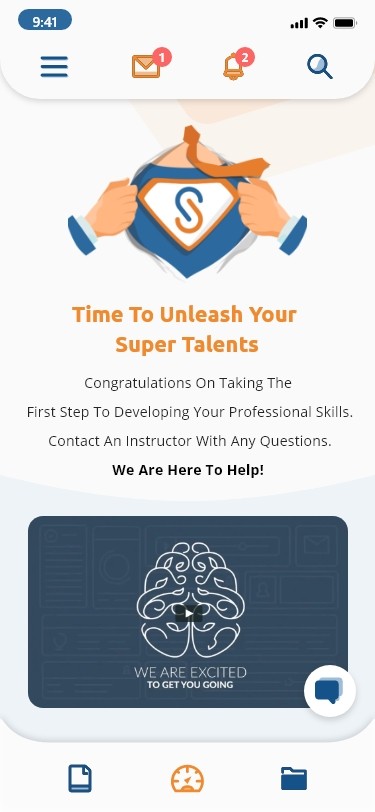
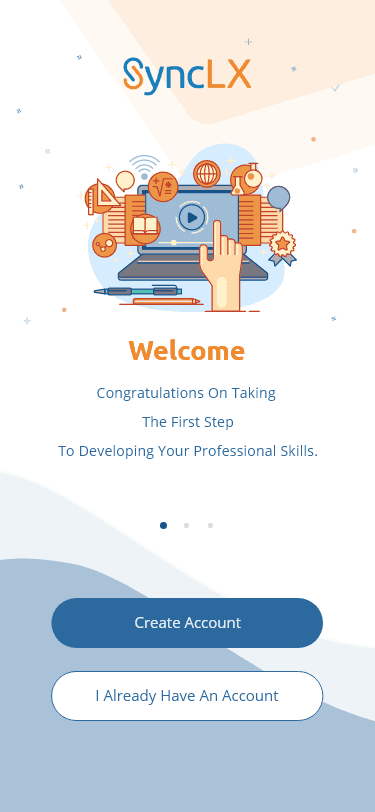
Intro content
Welcome Video
Chatbot
Navigation bar
(Courses, Dashboard, Notes)
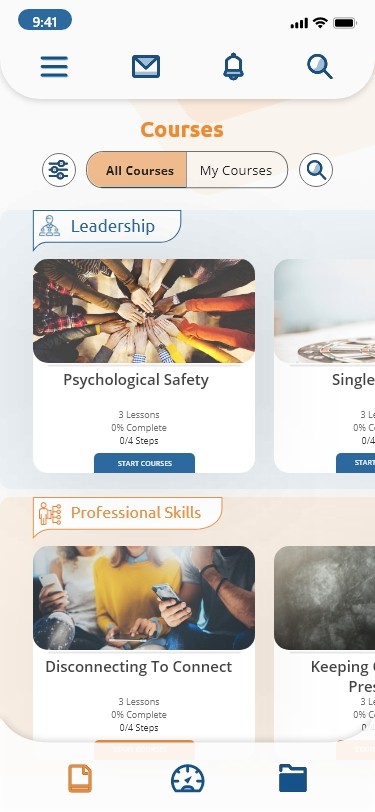
Course Category
Course Card
(Name, completion, Start)
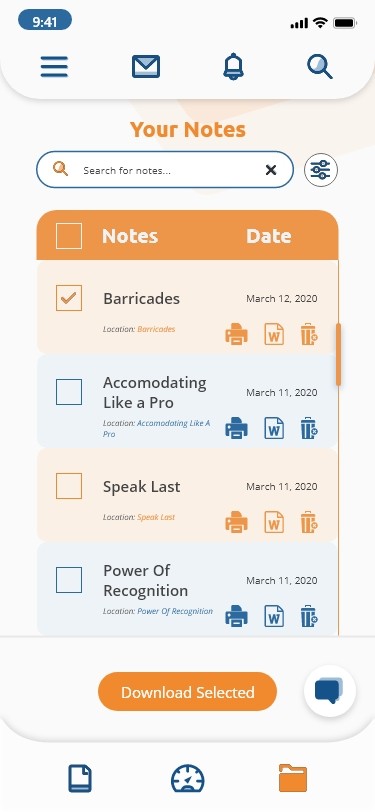
Notes vertical list
(Select, save/print, view, delete)
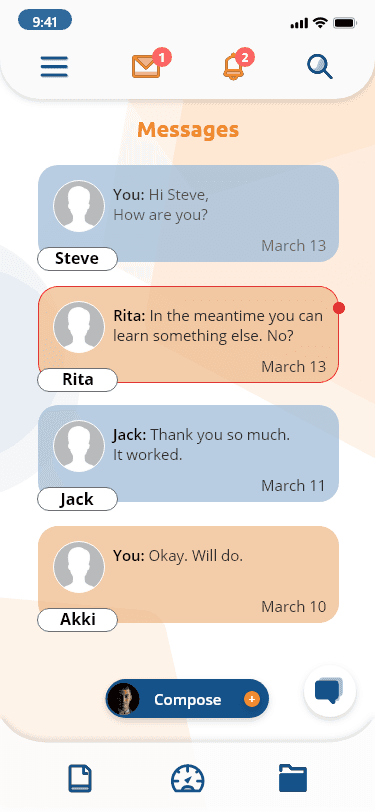
Messages
9:41
Notes Search
Unread message
Download selected button
Compose new message
9:41
Key Findings on Usability Testing
Users found the navigation intuitive and easy to learn.
Discussion forums and chat functionalities sparked user interest for enhanced interaction.
Some users suggested additional features like interactive quizzes in between lessons and gamification elements. (Planned for future)
The offline access feature was highly valued by users who learn on the go.
What was solved?
The SyncLX Mobile App aimed to solve the problem of limited access to high-quality learning experiences on mobile devices. By providing a user-friendly platform with engaging features, the app could cater to the needs of busy professionals and collaborative learners alike. The app addressed the pain points identified through research, such as difficult navigation, lack of offline access, and limited interaction opportunities.
Client work for SyncLX by Aniruddha Garg |
linkedin.com/in/aniruddhagarg
Key Findings on Usability Testing
Users found the navigation intuitive and easy to learn.
Discussion forums and chat functionalities sparked user interest for enhanced interaction.
Some users suggested additional features like interactive quizzes in between lessons and gamification elements. (Planned for future)
The offline access feature was highly valued by users who learn on the go.
What was solved?
The SyncLX Mobile App aimed to solve the problem of limited access to high-quality learning experiences on mobile devices. By providing a user-friendly platform with engaging features, the app could cater to the needs of busy professionals and collaborative learners alike. The app addressed the pain points identified through research, such as difficult navigation, lack of offline access, and limited interaction opportunities.
Client work for SyncLX by Aniruddha Garg |
linkedin.com/in/aniruddhagarg

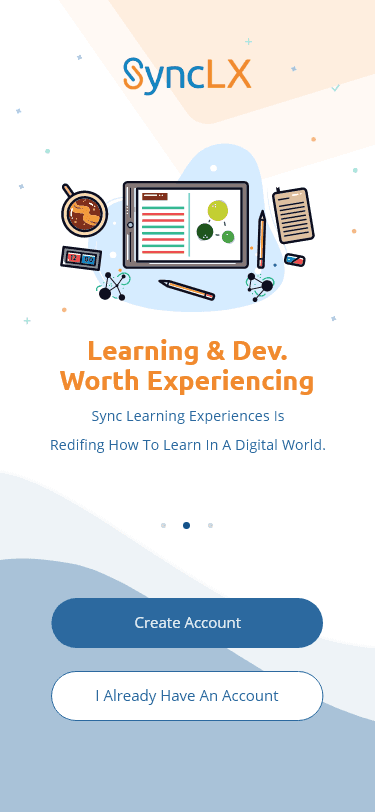
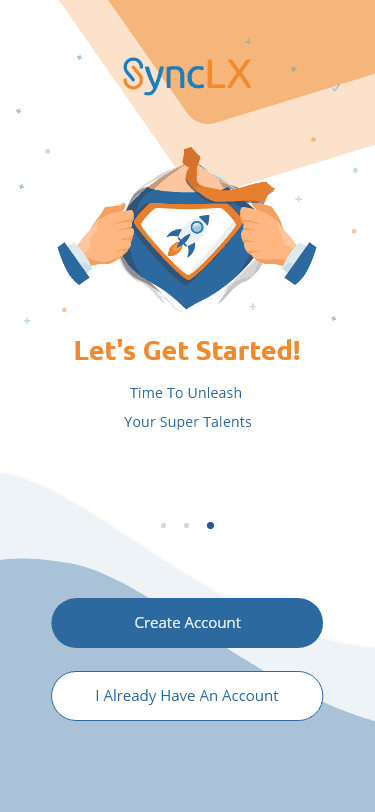
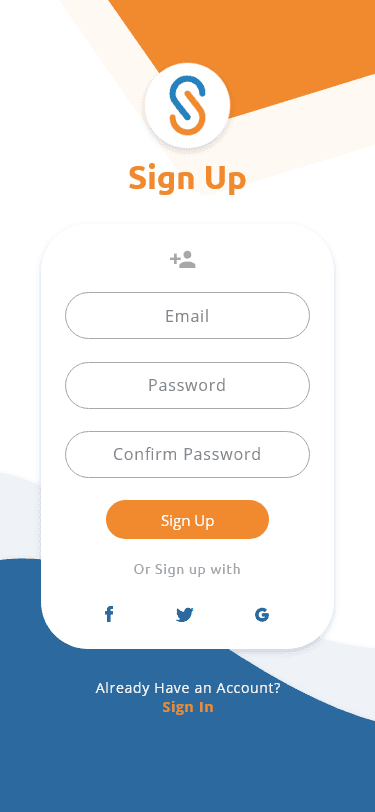
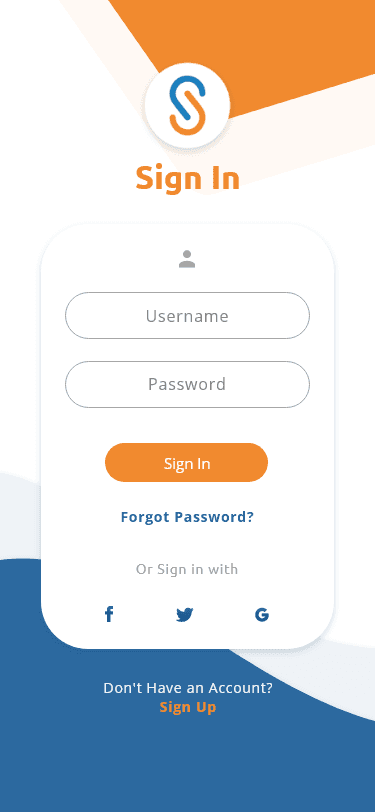
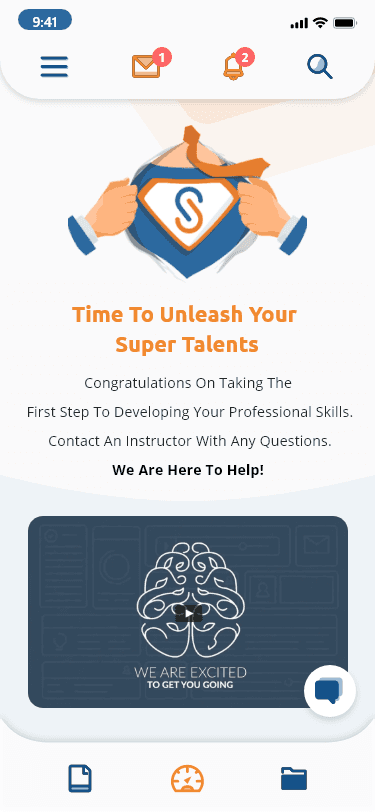
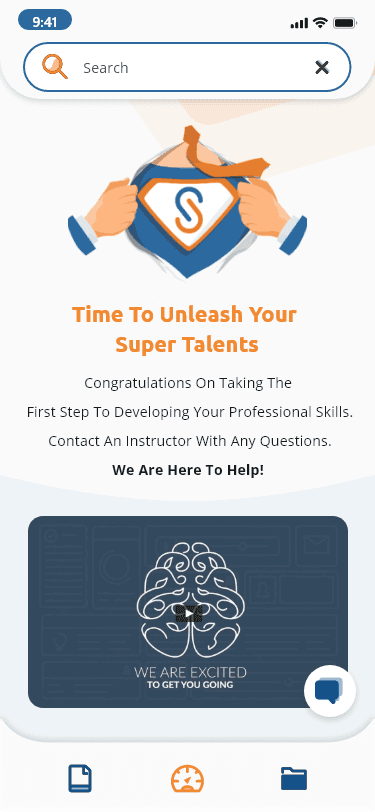
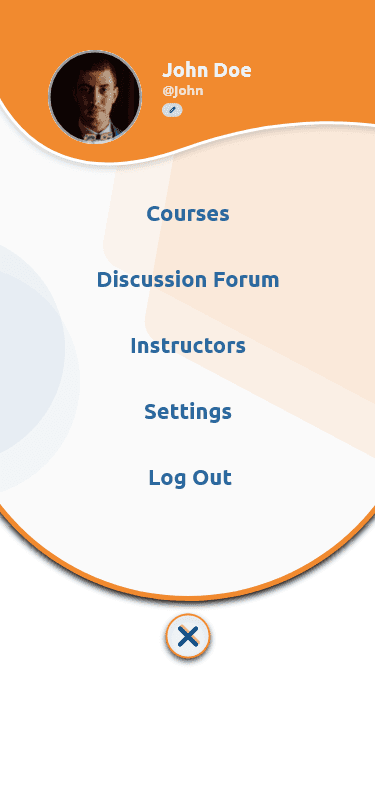
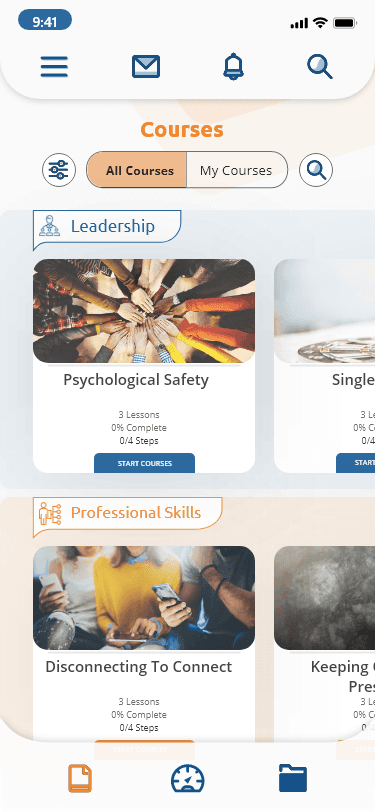
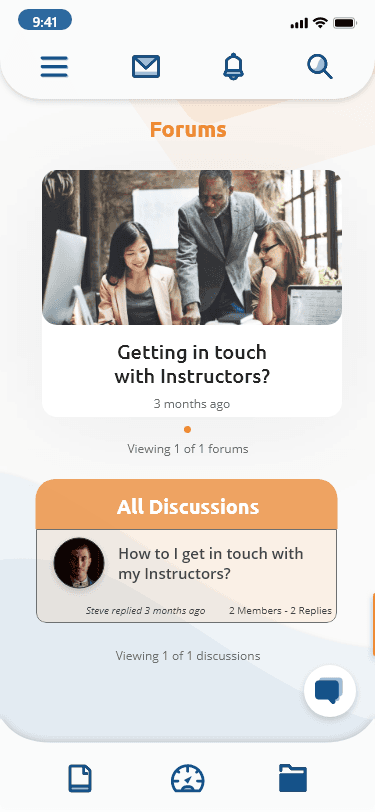
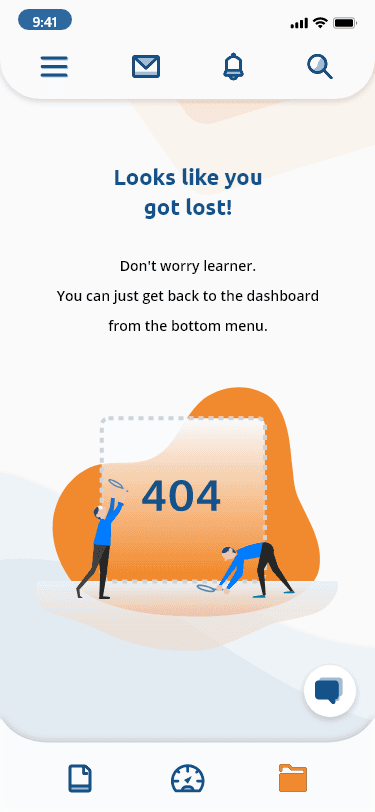
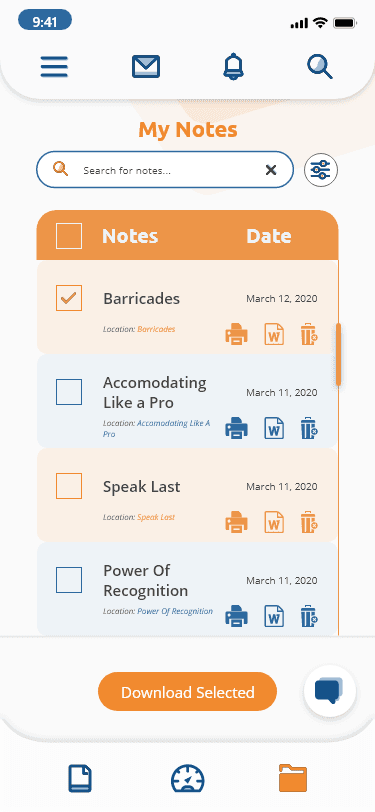
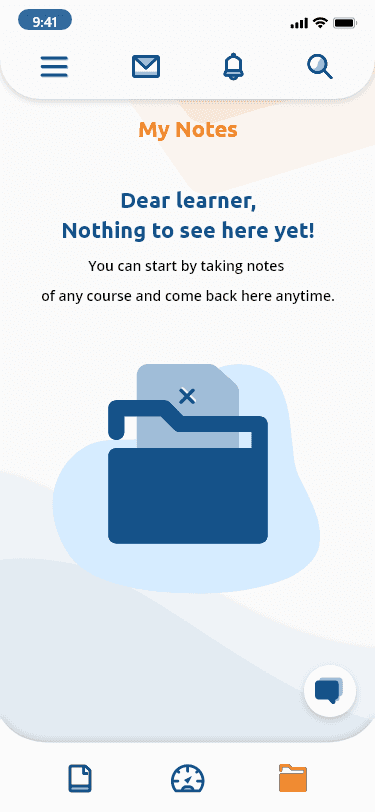
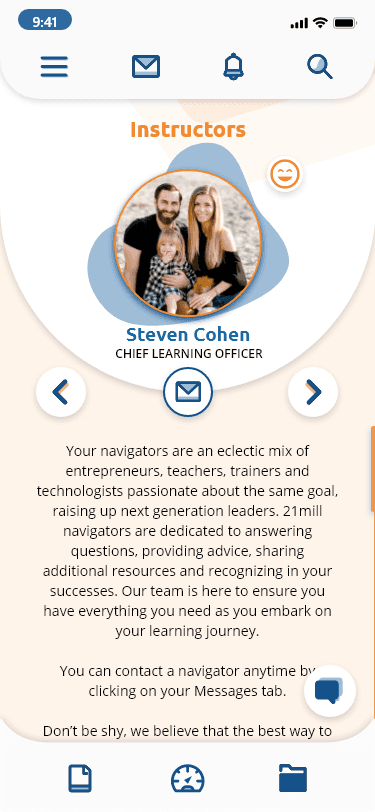
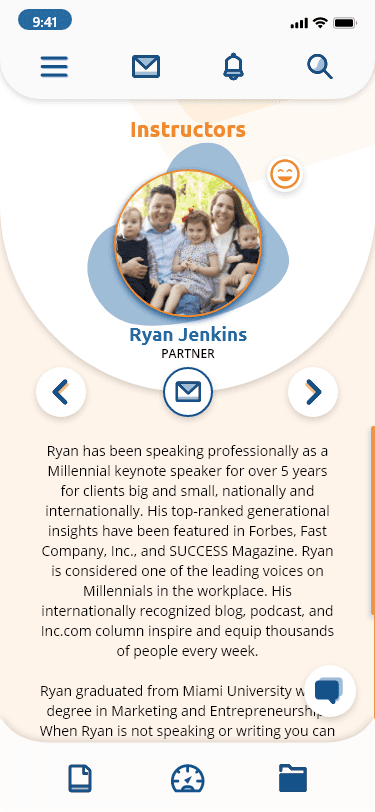
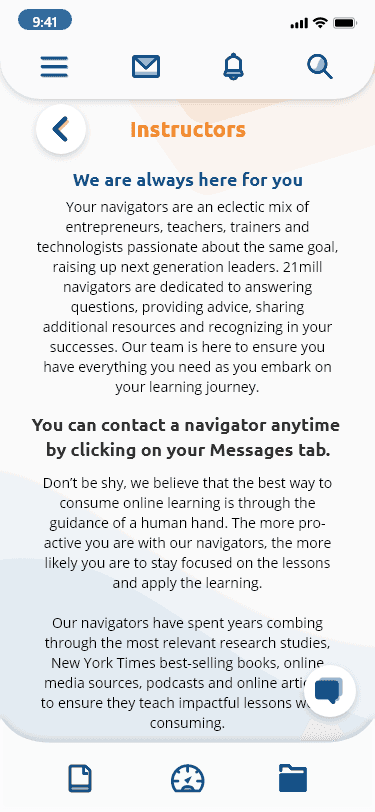
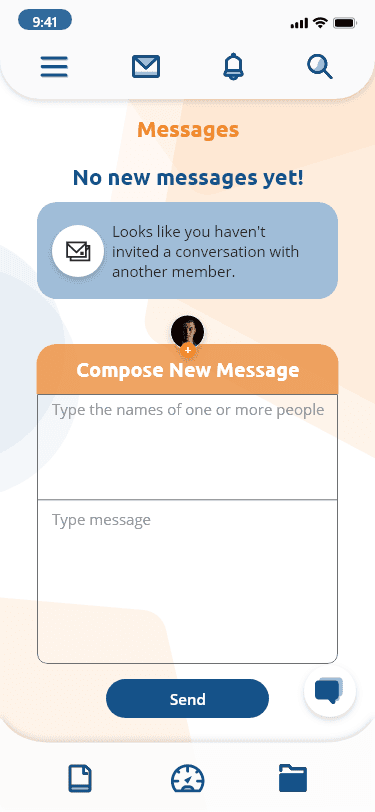
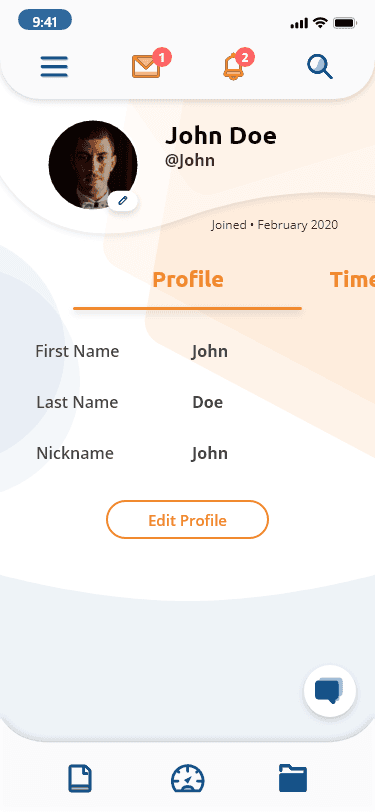
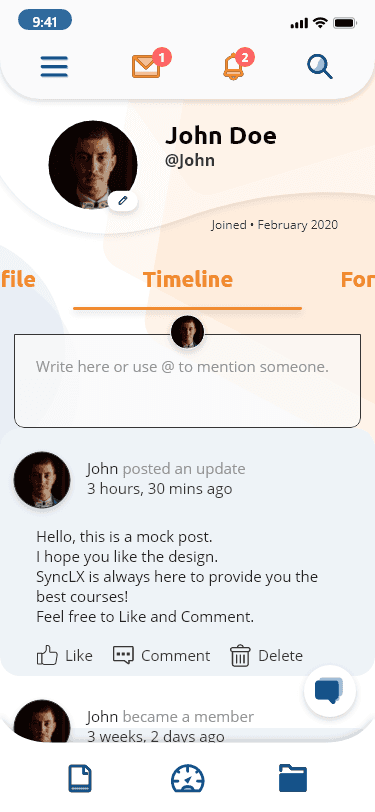
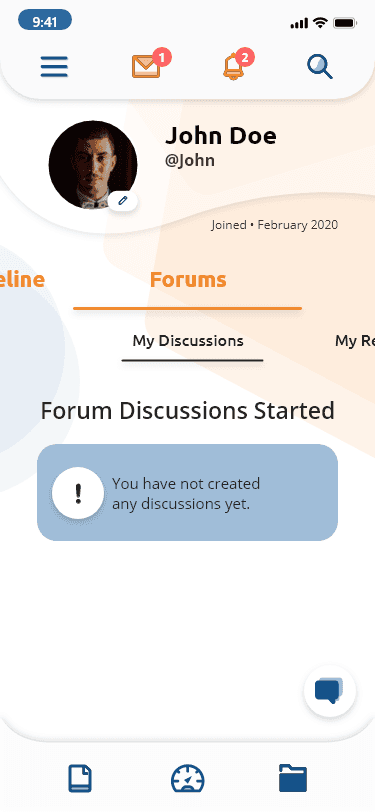
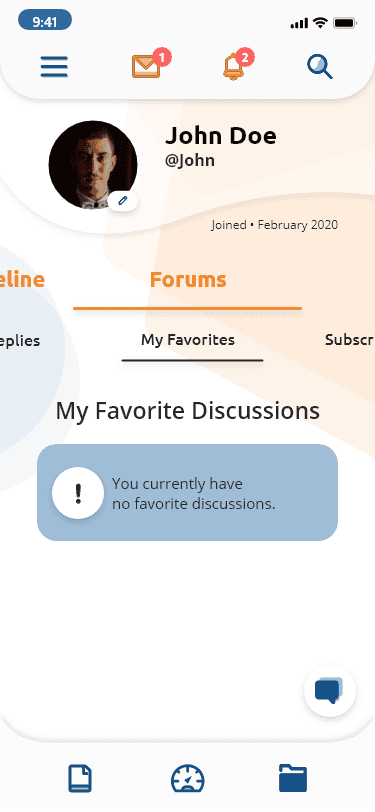
Screens
Wireframes
9:41
Create Account
Description of the feature displayed on the onboarding screen
Feature Title
Sign In
Courses
Dashboard
Notes
9:41
Lorem ipsum dolor sit amet, consectetur adipiscing elit, sed do eiusmod tempor incididunt ut labore et dolore magna aliqua. Ut enim ad minim veniam, quis nostrud exercitation ullamco laboris nisi ut aliquip ex ea commodo consequat.
Lorem ipsum dolar sat
Courses
Dashboard
Notes
9:41
Lorem ipsum dolor sit amet, consectetur adipiscing elit, sed do eiusmod tempor incididunt ut labore et dolore magna aliqua. Ut enim ad minim veniam, quis nostrud exercitation ullamco laboris nisi ut aliquip ex ea commodo consequat. Lorem ipsum dolor sit amet, consectetur adipiscing elit, sed do eiusmod tempor incididunt ut labore et dolore magna aliqua. Ut enim ad minim veniam, quis nostrud exercitation ullamco laboris nisi ut aliquip ex ea commodo consequat.
Instructors
John Doe
Designation/ Specialty
Courses
Dashboard
Notes
9:41
John Doe
@JohnD
Joined - February 2020
First Name
Last Name
Nickname
....
John
Doe
John
...
Edit Profile
Courses
Dashboard
Notes
9:41
Viewing 1 of 1 forums
Forums
Getting in touch
with your instructors?
n months ago
Search Notes
Discussions
Lorem ipsum dolor sit amet, consectetur adipiscing elit, sed do eiusmod tempor incididunt?
Roger replied 1 month ago
n replies
Course Name
N Lessons
n% Complete
0/n Chapter
Start Course
Category Name
Course Name
N Lessons
n% Complete
0/n Chapter
Start Course
9:41
Courses
Courses
Dashboard
Notes
Category Name
Course Name
N Lessons
n% Complete
0/n Chapter
Start Course
Course Name
N Lessons
n% Complete
0/n Chapter
Start Course
Courses
Dashboard
Notes
9:41
Lorem ipsum dolor sit amet, consectetur adipiscing elit, sed do eiusmod tempor incididunt ut labore et dolore magna aliqua. Ut enim ad minim veniam, quis nostrud exercitation ullamco laboris nisi ut aliquip ex ea commodo consequat.
Lorem ipsum dolar sat
Global SyncLX Search
Courses
Dashboard
Notes
9:41
Search Notes
My Notes
Notes
Date
Note Entry 1
Note Entry 2
Note Entry 3
Note Entry 4
Note Entry 5
Note Entry 6
Download Selected
Courses
Dashboard
Notes
9:41
Search Chats
Messages
New Message
You:
Lorem ipsum dolor sit amet,
consectetur...
March 13
Name#1
Name#2:
Lorem ipsum dolor sit amet,
consectetur...
March 12
Name#2
Name#3:
Lorem ipsum dolor sit amet,
consectetur...
March 12
Name#3
Lorem ipsum dolar sat
Sign Up
9:41
Sign In
Username
Password
Or sign in with
Forget Password?
Sign In
Lorem ipsum dolar sat
Sign Up
9:41
Sign Up
Email Address
Password
Confirm Password
Or sign up with
Forget Password?
Sign Up
Onboarding x 3
Homepage (Dashboard)
Notes
Profile
Sign In
Search Expanded
Instructors
Messages
Sign Up
Courses
Forums
Major Screens
Home Screen/ Dashboard
Messages, Notifications
& Search
Courses
Menu
Notes
Menu
Messages
Menu
Messages
9:41
Unread message
9:41
Key Findings on Usability Testing
Users found the navigation intuitive and easy to learn.
Discussion forums and chat functionalities sparked user interest for enhanced interaction.
Some users suggested additional features like interactive quizzes in between lessons and gamification elements. (Planned for future)
The offline access feature was highly valued by users who learn on the go.
What was solved?
The SyncLX Mobile App aimed to solve the problem of limited access to high-quality learning experiences on mobile devices. By providing a user-friendly platform with engaging features, the app could cater to the needs of busy professionals and collaborative learners alike. The app addressed the pain points identified through research, such as difficult navigation, lack of offline access, and limited interaction opportunities.
Client work for SyncLX by Aniruddha Garg |
linkedin.com/in/aniruddhagarg
Key Findings on Usability Testing
Users found the navigation intuitive and easy to learn.
Discussion forums and chat functionalities sparked user interest for enhanced interaction.
Some users suggested additional features like interactive quizzes in between lessons and gamification elements. (Planned for future)
The offline access feature was highly valued by users who learn on the go.
What was solved?
The SyncLX Mobile App aimed to solve the problem of limited access to high-quality learning experiences on mobile devices. By providing a user-friendly platform with engaging features, the app could cater to the needs of busy professionals and collaborative learners alike. The app addressed the pain points identified through research, such as difficult navigation, lack of offline access, and limited interaction opportunities.
Client work for SyncLX by Aniruddha Garg |
linkedin.com/in/aniruddhagarg
Screens
Wireframes
9:41
Create Account
Description of the feature displayed on the onboarding screen
Feature Title
Sign In
Courses
Dashboard
Notes
9:41
Lorem ipsum dolor sit amet, consectetur adipiscing elit, sed do eiusmod tempor incididunt ut labore et dolore magna aliqua. Ut enim ad minim veniam, quis nostrud exercitation ullamco laboris nisi ut aliquip ex ea commodo consequat.
Lorem ipsum dolar sat
Courses
Dashboard
Notes
9:41
Lorem ipsum dolor sit amet, consectetur adipiscing elit, sed do eiusmod tempor incididunt ut labore et dolore magna aliqua. Ut enim ad minim veniam, quis nostrud exercitation ullamco laboris nisi ut aliquip ex ea commodo consequat. Lorem ipsum dolor sit amet, consectetur adipiscing elit, sed do eiusmod tempor incididunt ut labore et dolore magna aliqua. Ut enim ad minim veniam, quis nostrud exercitation ullamco laboris nisi ut aliquip ex ea commodo consequat.
Instructors
John Doe
Designation/ Specialty
Courses
Dashboard
Notes
9:41
John Doe
@JohnD
Joined - February 2020
First Name
Last Name
Nickname
....
John
Doe
John
...
Edit Profile
Courses
Dashboard
Notes
9:41
Viewing 1 of 1 forums
Forums
Getting in touch
with your instructors?
n months ago
Search Notes
Discussions
Lorem ipsum dolor sit amet, consectetur adipiscing elit, sed do eiusmod tempor incididunt?
Roger replied 1 month ago
n replies
Course Name
N Lessons
n% Complete
0/n Chapter
Start Course
Category Name
Course Name
N Lessons
n% Complete
0/n Chapter
Start Course
9:41
Courses
Courses
Dashboard
Notes
Category Name
Course Name
N Lessons
n% Complete
0/n Chapter
Start Course
Course Name
N Lessons
n% Complete
0/n Chapter
Start Course
Courses
Dashboard
Notes
9:41
Lorem ipsum dolor sit amet, consectetur adipiscing elit, sed do eiusmod tempor incididunt ut labore et dolore magna aliqua. Ut enim ad minim veniam, quis nostrud exercitation ullamco laboris nisi ut aliquip ex ea commodo consequat.
Lorem ipsum dolar sat
Global SyncLX Search
Courses
Dashboard
Notes
9:41
Search Notes
My Notes
Notes
Date
Note Entry 1
Note Entry 2
Note Entry 3
Note Entry 4
Note Entry 5
Note Entry 6
Download Selected
Courses
Dashboard
Notes
9:41
Search Chats
Messages
New Message
You:
Lorem ipsum dolor sit amet,
consectetur...
March 13
Name#1
Name#2:
Lorem ipsum dolor sit amet,
consectetur...
March 12
Name#2
Name#3:
Lorem ipsum dolor sit amet,
consectetur...
March 12
Name#3
Lorem ipsum dolar sat
Sign Up
9:41
Sign In
Username
Password
Or sign in with
Forget Password?
Sign In
Lorem ipsum dolar sat
Sign Up
9:41
Sign Up
Email Address
Password
Confirm Password
Or sign up with
Forget Password?
Sign Up
Onboarding x 3
Homepage (Dashboard)
Notes
Profile
Sign In
Search Expanded
Instructors
Messages
Sign Up
Courses
Forums
Major Screens
Home Screen/ Dashboard
Messages, Notifications
& Search
Menu
Courses
Courses switch (All - My)
Filter, Search
Messages, Notifications,
& Search
Menu
Navigation bar
Notes
Messages, Notifications,
& Search
Menu
Navigation bar
Messages
Messages, Notifications,
& Search
Menu
Navigation bar
Intro content
Welcome Video
Chatbot
Navigation bar
(Courses, Dashboard, Notes)
Course Category
Course Card
(Name, completion, Start)
Notes vertical list
(Select, save/print, view, delete)
Messages
9:41
Notes Search
Unread message
Download selected button
Compose new message
9:41
Key Findings on Usability Testing
Users found the navigation intuitive and easy to learn.
Discussion forums and chat functionalities sparked user interest for enhanced interaction.
Some users suggested additional features like interactive quizzes in between lessons and gamification elements. (Planned for future)
The offline access feature was highly valued by users who learn on the go.
What was solved?
The SyncLX Mobile App aimed to solve the problem of limited access to high-quality learning experiences on mobile devices. By providing a user-friendly platform with engaging features, the app could cater to the needs of busy professionals and collaborative learners alike. The app addressed the pain points identified through research, such as difficult navigation, lack of offline access, and limited interaction opportunities.
Client work for SyncLX by Aniruddha Garg |
linkedin.com/in/aniruddhagarg
Key Findings on Usability Testing
Users found the navigation intuitive and easy to learn.
Discussion forums and chat functionalities sparked user interest for enhanced interaction.
Some users suggested additional features like interactive quizzes in between lessons and gamification elements. (Planned for future)
The offline access feature was highly valued by users who learn on the go.
What was solved?
The SyncLX Mobile App aimed to solve the problem of limited access to high-quality learning experiences on mobile devices. By providing a user-friendly platform with engaging features, the app could cater to the needs of busy professionals and collaborative learners alike. The app addressed the pain points identified through research, such as difficult navigation, lack of offline access, and limited interaction opportunities.
Client work for SyncLX by Aniruddha Garg |
linkedin.com/in/aniruddhagarg
Screens