JLR | IVI Feature Health Tracker
Industry
UX Design
Client
Jaguar Land Rover
Service
IA Tool in Figma
Date
March 2022
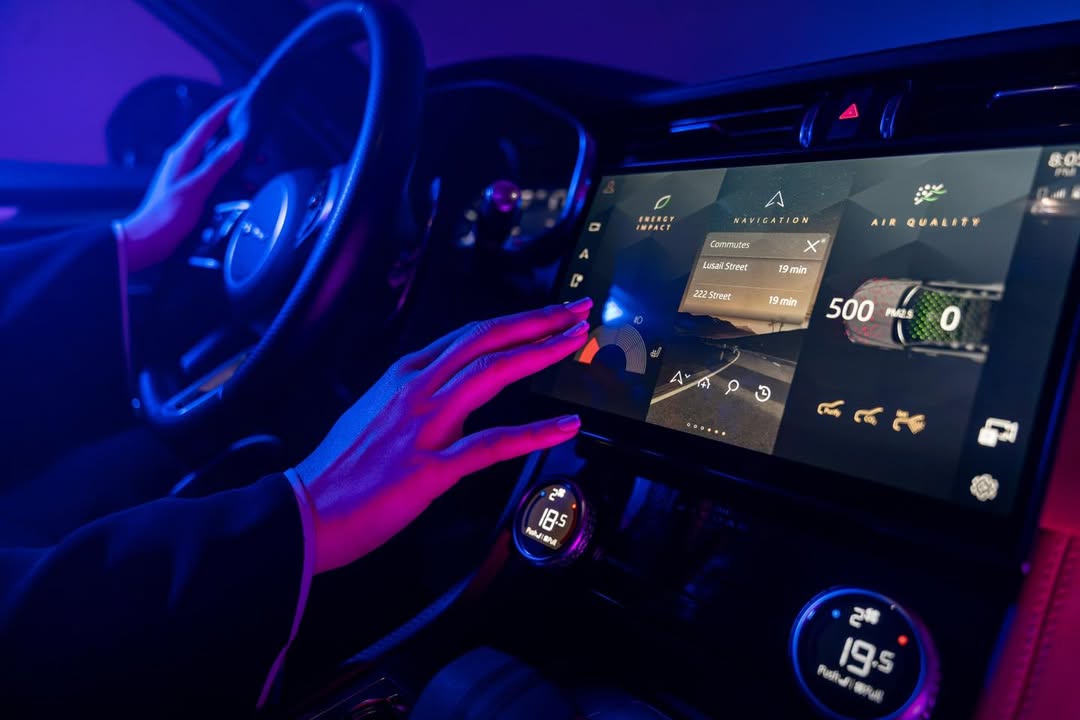
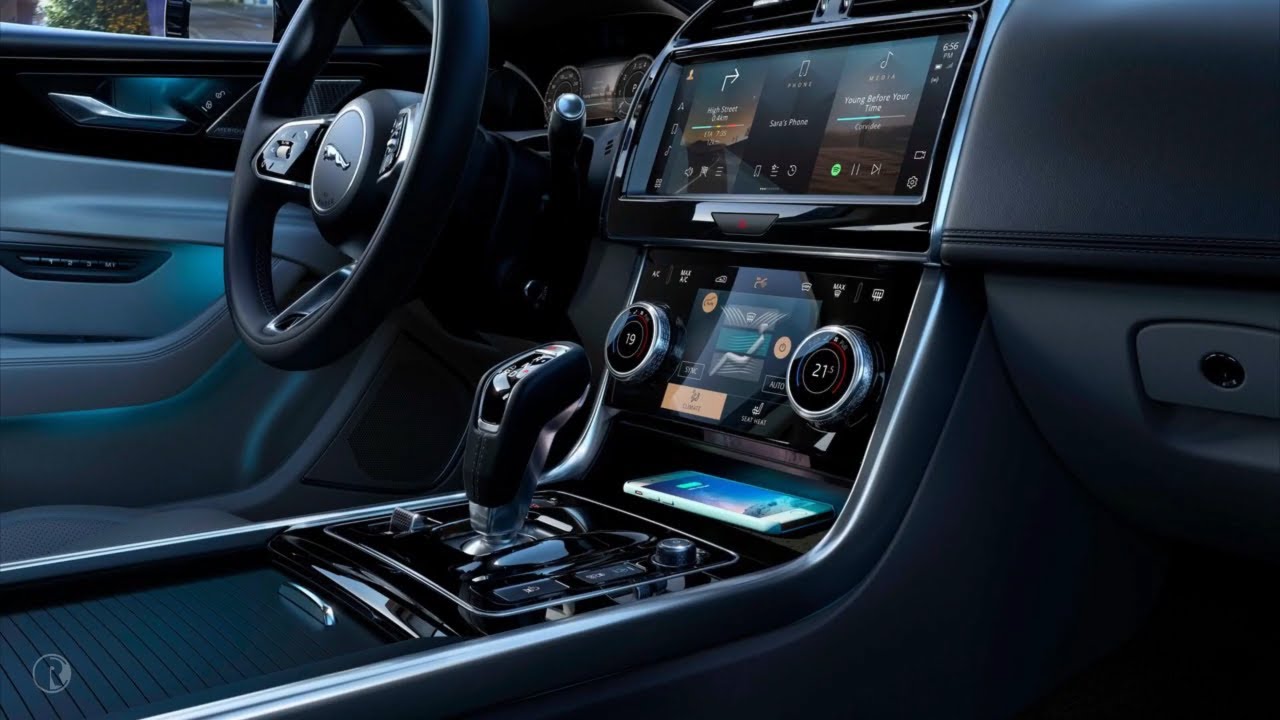
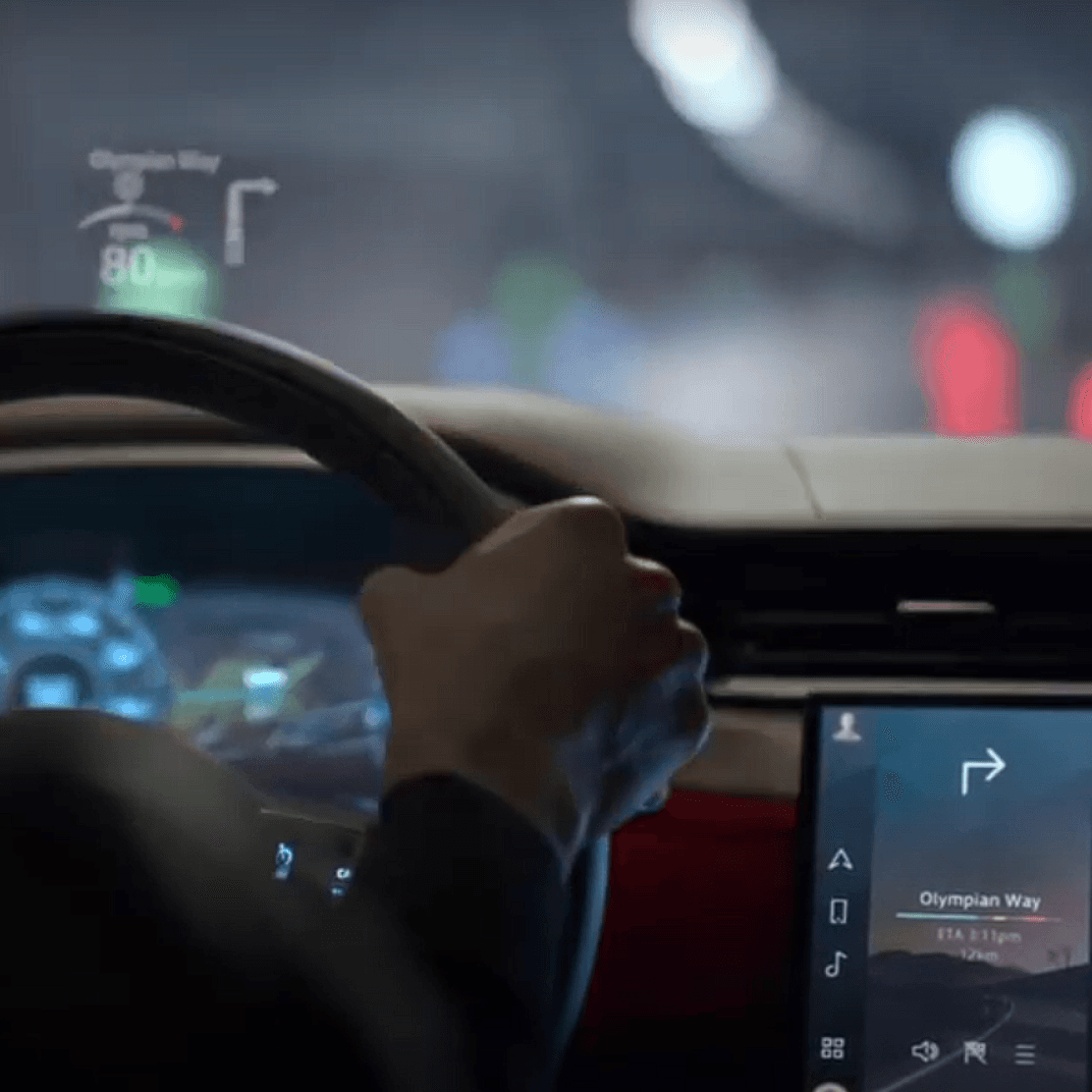
In the realm of in-car UX, the IVI Health Tracker serves as an internal tool for Jaguar Land Rover, designed to evaluate the state of the current infotainment HMI and reveal pathways for refinement in forthcoming programs.
Aniruddha
IVI Information Architecture
Infotainment Feature Health Tracker Tool
UX Case Study
Timeline
Jan ‘22 - May ‘22
Introduction
This case study explores the design and creation of an internal tool for Jaguar Land Rover. The tool aims to assess the health of PIVI Pro, JLR’s current infotainment system and identify areas for improvement in the upcoming IVI program.
Tool

Figma
Problem Statement
JLR lacked a systematic approach to analyzing user feedback and identifying strengths and weaknesses in their existing infotainment system. This made it difficult to determine which features to carry over, refine, or completely revamp for the new program.
End User
The Infotainment Architecture Health Tracker indirectly improves the future luxury car experience for drivers and passengers. It helps stakeholders assess the current system to develop a more user-friendly, intuitive, and feature-rich next-generation infotainment system.
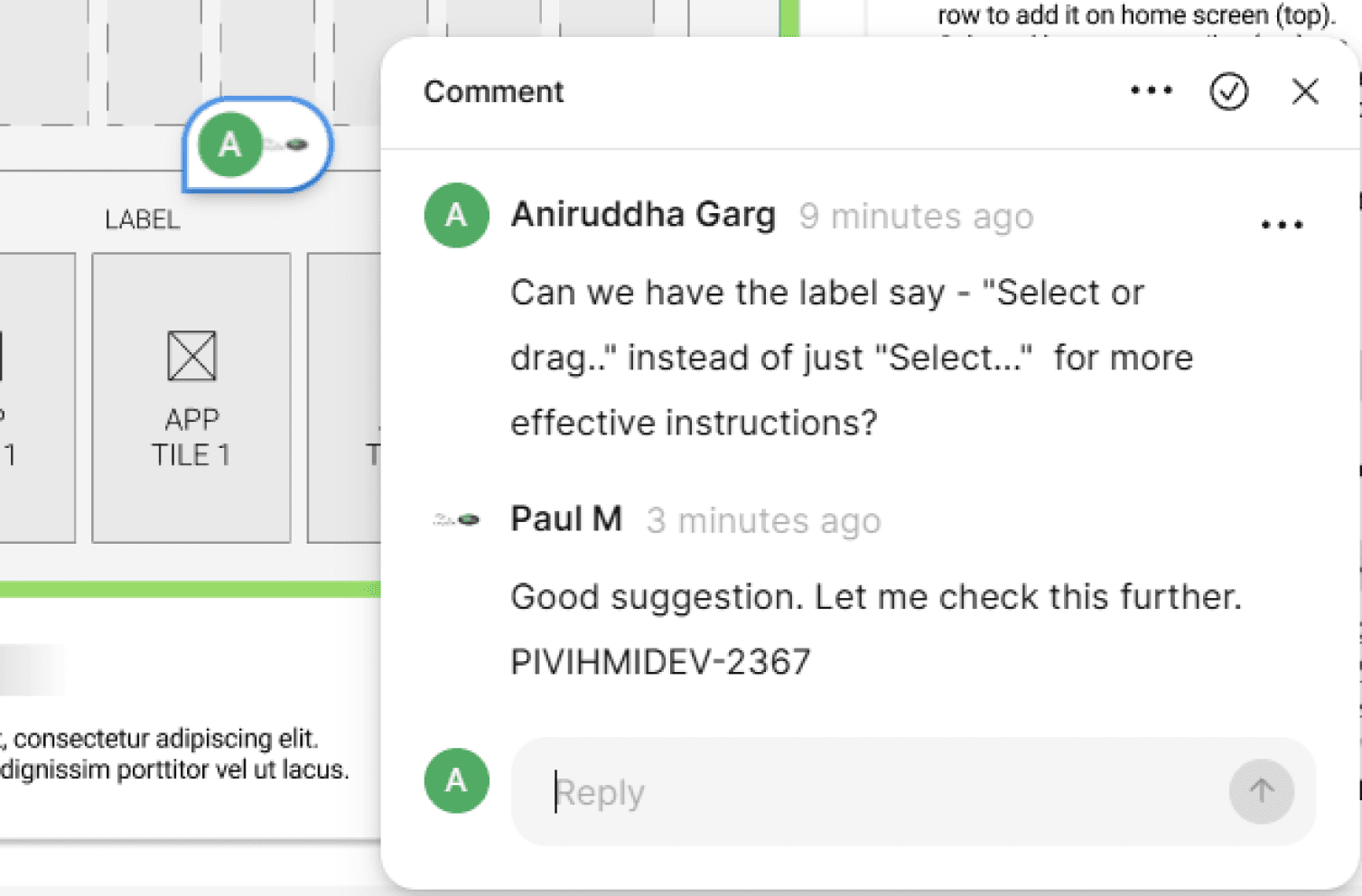
Leveraging Figma comments to communicate
within the organization.
Aniruddha
IVI Information Architecture
Infotainment Feature Health Tracker Tool
UX Case Study
Timeline
Jan ‘22 - May ‘22
Introduction
This case study explores the design and creation of an internal tool for Jaguar Land Rover. The tool aims to assess the health of PIVI Pro, JLR’s current infotainment system and identify areas for improvement in the upcoming IVI program.
Tool
Figma
Problem Statement
JLR lacked a systematic approach to analyzing user feedback and identifying strengths and weaknesses in their existing infotainment system. This made it difficult to determine which features to carry over, refine, or completely revamp for the new program.
End User
The Infotainment Architecture Health Tracker indirectly improves the future luxury car experience for drivers and passengers. It helps stakeholders assess the current system to develop a more user-friendly, intuitive, and feature-rich next-generation infotainment system.
Leveraging Figma comments to communicate
within the organization.
Aniruddha
IVI Information Architecture
Infotainment Feature Health Tracker Tool
UX Case Study
Timeline
Jan ‘22 - May ‘22
Introduction
This case study explores the design and creation of an internal tool for Jaguar Land Rover. The tool aims to assess the health of PIVI Pro, JLR’s current infotainment system and identify areas for improvement in the upcoming IVI program.
Tool
Figma
Problem Statement
JLR lacked a systematic approach to analyzing user feedback and identifying strengths and weaknesses in their existing infotainment system. This made it difficult to determine which features to carry over, refine, or completely revamp for the new program.
End User
The Infotainment Architecture Health Tracker indirectly improves the future luxury car experience for drivers and passengers. It helps stakeholders assess the current system to develop a more user-friendly, intuitive, and feature-rich next-generation infotainment system.
Leveraging Figma comments to communicate
within the organization.
Objectives
Enable stakeholders to navigate the entire information architecture of the HMI system.
Facilitate detailed evaluation of individual features, tabs, and screens.
Allow stakeholders to provide comments and conclusions for each feature.
Categorize feature health using a color-coded system (Green - Good, Amber - Needs Improvement, Red - Revamp Needed).
My Role
Led the design team in creating the tool from scratch.
Made major UX decisions, planned the workflow, and presented progress to the client.
Designed wireframes, prototypes, descriptions, and the overall information architecture of the tool.
Facilitated stakeholder interaction with the tool for feature evaluation and health assessment.
User Research & Testing
User Interviews: Conducted interviews with feature domain stakeholders to understand their needs and preferred evaluation methods.
Usability Testing: Conducted regular internal usability testing with a small group of stakeholders to identify potential usability issues within the tool.
Results
The Infotainment Architecture Health Tracker provided stakeholders with a clear and organized system for evaluating existing HMI features.
The color-coded health assessment facilitated quick identification of feature strengths and weaknesses.
Stakeholder comments and conclusions offered valuable insights into the user experience with the current infotainment system.
Background Graphics
Day/Night
App Drawer (All Apps)
Home Screen App Tiles
App Screen
Reverse Gear Camera (automatic launch)
Startup Wizard -
Create Account
Welcome
Goodbye
Front
Dynamic Assets 3
High Priority
(Includes Alert Prompts)
ICP
Dynamic Assets 2 - MediumPriority
Pop-ups
Dynamic Assets 1 - Low Priority
Banners,
Keyboard
Handwriting
&
Driver Side Bar
Passenger Side Bar
Back
&
PIVI
PIVI - ICP Delete
PIVI - Super ICP
Voice
PTT Button
(Press to talk)
CSW Button
(Press to access)
Alexa
Tmall Genie
HUMAN FACTORS - OVERVIEW
PIVI INFORMATION ARCHITECTURE
System Performance
Overview Screen of a 260 screen product/ tool
Objectives
Enable stakeholders to navigate the entire information architecture of the HMI system.
Facilitate detailed evaluation of individual features, tabs, and screens.
Allow stakeholders to provide comments and conclusions for each feature.
Categorize feature health using a color-coded system (Green - Good, Amber - Needs Improvement, Red - Revamp Needed).
My Role
Led the design team in creating the tool from scratch.
Made major UX decisions, planned the workflow, and presented progress to the client.
Designed wireframes, prototypes, descriptions, and the overall information architecture of the tool.
Facilitated stakeholder interaction with the tool for feature evaluation and health assessment.
User Research & Testing
User Interviews: Conducted interviews with feature domain stakeholders to understand their needs and preferred evaluation methods.
Usability Testing: Conducted regular internal usability testing with a small group of stakeholders to identify potential usability issues within the tool.
Results
The Infotainment Architecture Health Tracker provided stakeholders with a clear and organized system for evaluating existing HMI features.
The color-coded health assessment facilitated quick identification of feature strengths and weaknesses.
Stakeholder comments and conclusions offered valuable insights into the user experience with the current infotainment system.
Background Graphics
Day/Night
App Drawer (All Apps)
Home Screen App Tiles
App Screen
Reverse Gear Camera (automatic launch)
Startup Wizard -
Create Account
Welcome
Goodbye
Front
Dynamic Assets 3
High Priority
(Includes Alert Prompts)
ICP
Dynamic Assets 2 - MediumPriority
Pop-ups
Dynamic Assets 1 - Low Priority
Banners,
Keyboard
Handwriting
&
Driver Side Bar
Passenger Side Bar
Back
&
PIVI
PIVI - ICP Delete
PIVI - Super ICP
Voice
PTT Button
(Press to talk)
CSW Button
(Press to access)
Alexa
Tmall Genie
HUMAN FACTORS - OVERVIEW
PIVI INFORMATION ARCHITECTURE
System Performance
Overview Screen of a 260 screen product/ tool
Objectives
Enable stakeholders to navigate the entire information architecture of the HMI system.
Facilitate detailed evaluation of individual features, tabs, and screens.
Allow stakeholders to provide comments and conclusions for each feature.
Categorize feature health using a color-coded system (Green - Good, Amber - Needs Improvement, Red - Revamp Needed).
My Role
Led the design team in creating the tool from scratch.
Made major UX decisions, planned the workflow, and presented progress to the client.
Designed wireframes, prototypes, descriptions, and the overall information architecture of the tool.
Facilitated stakeholder interaction with the tool for feature evaluation and health assessment.
User Research & Testing
User Interviews: Conducted interviews with feature domain stakeholders to understand their needs and preferred evaluation methods.
Usability Testing: Conducted regular internal usability testing with a small group of stakeholders to identify potential usability issues within the tool.
Results
The Infotainment Architecture Health Tracker provided stakeholders with a clear and organized system for evaluating existing HMI features.
The color-coded health assessment facilitated quick identification of feature strengths and weaknesses.
Stakeholder comments and conclusions offered valuable insights into the user experience with the current infotainment system.
Background Graphics
Day/Night
App Drawer (All Apps)
Home Screen App Tiles
App Screen
Reverse Gear Camera (automatic launch)
Startup Wizard -
Create Account
Welcome
Goodbye
Front
Dynamic Assets 3
High Priority
(Includes Alert Prompts)
ICP
Dynamic Assets 2 - MediumPriority
Pop-ups
Dynamic Assets 1 - Low Priority
Banners,
Keyboard
Handwriting
&
Driver Side Bar
Passenger Side Bar
Back
&
PIVI
PIVI - ICP Delete
PIVI - Super ICP
Voice
PTT Button
(Press to talk)
CSW Button
(Press to access)
Alexa
Tmall Genie
HUMAN FACTORS - OVERVIEW
PIVI INFORMATION ARCHITECTURE
System Performance
Overview Screen of a 260 screen product/ tool
HOME SCREEN APP TILES
NAVIGATION
EV
COMPASS
PHONE
WEATHER
ECO DATA
APP
BUTTON 1
APP
BUTTON 2
APP
BUTTON 3
APP
BUTTON 1
APP
BUTTON 2
APP
BUTTON 3
APP
BUTTON 1
APP
BUTTON 2
APP
BUTTON 3
APP
BUTTON 1
APP
BUTTON 2
APP
BUTTON 3
APP
BUTTON 1
APP
BUTTON 2
APP
BUTTON 3
APP
BUTTON 1
APP
BUTTON 2
APP
BUTTON 3
MEDIA
SLOPE ASSIST
DRIVING STYLE
APP
BUTTON 1
APP
BUTTON 2
APP
BUTTON 3
APP
BUTTON 1
APP
BUTTON 2
APP
BUTTON 3
APP
BUTTON 1
APP
BUTTON 2
APP
BUTTON 3
Home Screen App Tiles
>
Overview
PROTOTYPES
TEST REPORTS
|
|
LINKS
Good to go
Need improvements
Rework required
CONCLUSION
FEATURE DESCRIPTION
FEATURE AVAILABILITY
RECENT /ACTIVE ISSUES
User can have nine tiles in PIVI Home which move three at a time on a swipe.
User can configure nine tiles from available app tiles. In case of less than three, two tiles are centre aligned.
Available app tiles defer as per fitment.
Pagination dots shows number of available tiles. In case of tile pop over it’s not shown.
Swipe out from the corner tile from left or right to get the homescreen configuration button.
It will navigate to “Homescreen Configuration” where one can customize the tiles.
Access point :
Available :
Driver Sidebar
Always
This conclusion has to be put by the Feature Owner of the respective feature.
00:00
PM
Sample (Homescreen) screen of the 260 screen product/ tool
Cannot attach the complete project due to confidentiality.
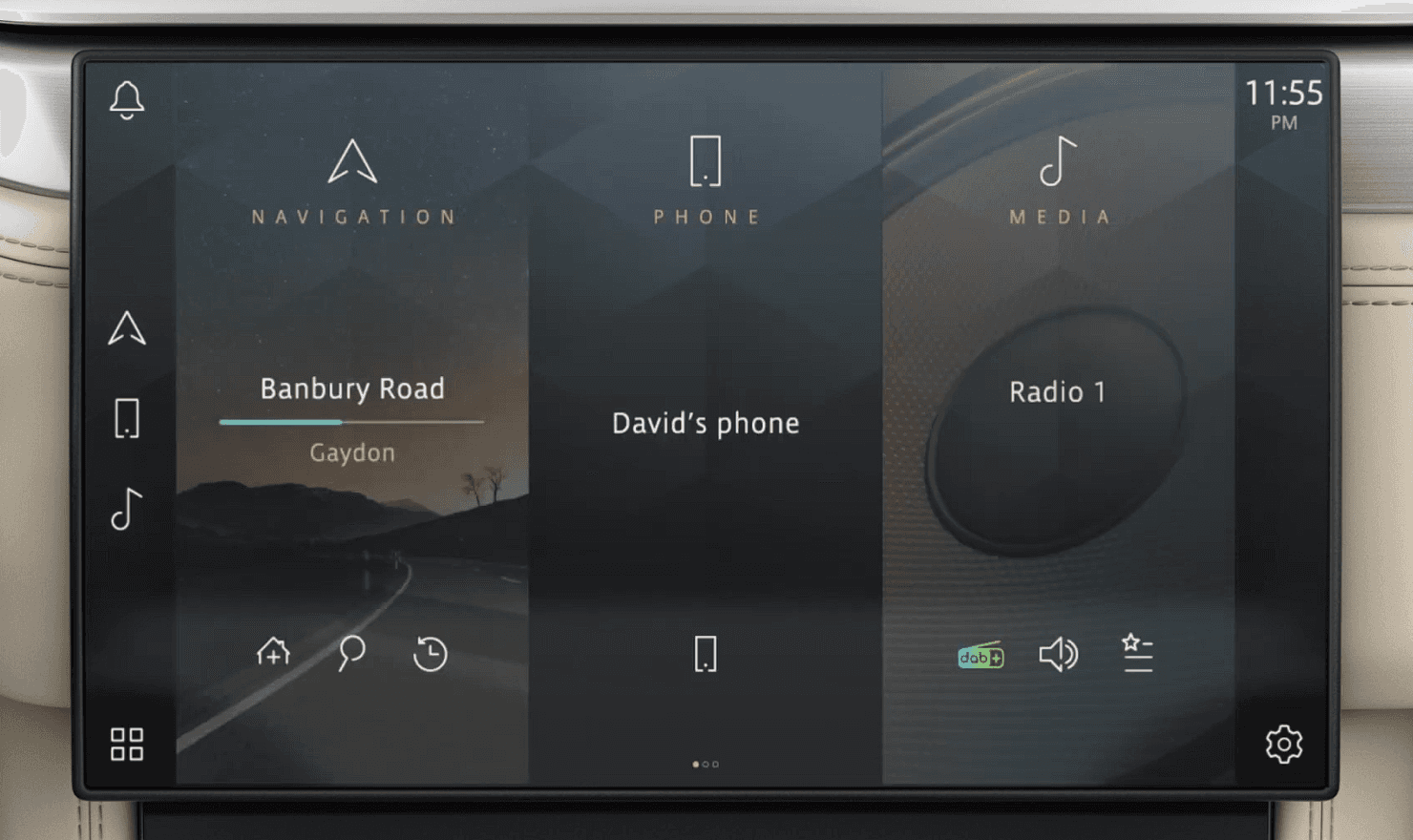
Comparison - IA Health Tracker vs Actual Screen In-vehicle infotainment
HOME SCREEN APP TILES
NAVIGATION
EV
COMPASS
PHONE
WEATHER
ECO DATA
APP
BUTTON 1
APP
BUTTON 2
APP
BUTTON 3
APP
BUTTON 1
APP
BUTTON 2
APP
BUTTON 3
APP
BUTTON 1
APP
BUTTON 2
APP
BUTTON 3
APP
BUTTON 1
APP
BUTTON 2
APP
BUTTON 3
APP
BUTTON 1
APP
BUTTON 2
APP
BUTTON 3
APP
BUTTON 1
APP
BUTTON 2
APP
BUTTON 3
MEDIA
SLOPE ASSIST
DRIVING STYLE
APP
BUTTON 1
APP
BUTTON 2
APP
BUTTON 3
APP
BUTTON 1
APP
BUTTON 2
APP
BUTTON 3
APP
BUTTON 1
APP
BUTTON 2
APP
BUTTON 3
Home Screen App Tiles
>
Overview
PROTOTYPES
TEST REPORTS
|
|
LINKS
Good to go
Need improvements
Rework required
CONCLUSION
FEATURE DESCRIPTION
FEATURE AVAILABILITY
RECENT /ACTIVE ISSUES
User can have nine tiles in PIVI Home which move three at a time on a swipe.
User can configure nine tiles from available app tiles. In case of less than three, two tiles are centre aligned.
Available app tiles defer as per fitment.
Pagination dots shows number of available tiles. In case of tile pop over it’s not shown.
Swipe out from the corner tile from left or right to get the homescreen configuration button.
It will navigate to “Homescreen Configuration” where one can customize the tiles.
Access point :
Available :
Driver Sidebar
Always
This conclusion has to be put by the Feature Owner of the respective feature.
00:00
PM
Challenges & Learnings
No Existing Plan: Defined the project scope and functionalities from scratch, ensuring alignment with client needs.
Software Limitations: Encountered limitations within the design software (Figma). Creative workarounds ensured tool functionality remained unaffected.
Health Indicator Selection: Evaluated various methods to represent feature health and selected a color-coded system for its simplicity and usability.
Health Tracker Prototype
Feel free to interact with the prototype in the intended way below
Conclusion
This UX case study demonstrates the value of a user-centered approach to infotainment system development. The Infotainment Architecture Health Tracker empowered stakeholders to provide data-driven recommendations for the next generation of the client's HMI system. This tool serves as a model for future projects, ensuring a user-centric and iterative development process for automotive infotainment systems.
Recognition
This project's success was acknowledged by the client. The HMI Lead Team awarded me the "Extra Mile Award" in recognition of my exceptional support and dedication throughout the design and development process.


HOME SCREEN APP TILES
NAVIGATION
EV
COMPASS
PHONE
WEATHER
ECO DATA
APP
BUTTON 1
APP
BUTTON 2
APP
BUTTON 3
APP
BUTTON 1
APP
BUTTON 2
APP
BUTTON 3
APP
BUTTON 1
APP
BUTTON 2
APP
BUTTON 3
APP
BUTTON 1
APP
BUTTON 2
APP
BUTTON 3
APP
BUTTON 1
APP
BUTTON 2
APP
BUTTON 3
APP
BUTTON 1
APP
BUTTON 2
APP
BUTTON 3
MEDIA
SLOPE ASSIST
DRIVING STYLE
APP
BUTTON 1
APP
BUTTON 2
APP
BUTTON 3
APP
BUTTON 1
APP
BUTTON 2
APP
BUTTON 3
APP
BUTTON 1
APP
BUTTON 2
APP
BUTTON 3
Home Screen App Tiles
>
Overview
PROTOTYPES
TEST REPORTS
|
|
LINKS
Good to go
Need improvements
Rework required
CONCLUSION
FEATURE DESCRIPTION
FEATURE AVAILABILITY
RECENT /ACTIVE ISSUES
User can have nine tiles in PIVI Home which move three at a time on a swipe.
User can configure nine tiles from available app tiles. In case of less than three, two tiles are centre aligned.
Available app tiles defer as per fitment.
Pagination dots shows number of available tiles. In case of tile pop over it’s not shown.
Swipe out from the corner tile from left or right to get the homescreen configuration button.
It will navigate to “Homescreen Configuration” where one can customize the tiles.
Access point :
Available :
Driver Sidebar
Always
This conclusion has to be put by the Feature Owner of the respective feature.
00:00
PM
Sample (Homescreen) screen of the 260 screen product/ tool
Contact me to have a look at the full tool
Comparison - IA Health Tracker vs Actual Screen In-vehicle infotainment
HOME SCREEN APP TILES
NAVIGATION
EV
COMPASS
PHONE
WEATHER
ECO DATA
APP
BUTTON 1
APP
BUTTON 2
APP
BUTTON 3
APP
BUTTON 1
APP
BUTTON 2
APP
BUTTON 3
APP
BUTTON 1
APP
BUTTON 2
APP
BUTTON 3
APP
BUTTON 1
APP
BUTTON 2
APP
BUTTON 3
APP
BUTTON 1
APP
BUTTON 2
APP
BUTTON 3
APP
BUTTON 1
APP
BUTTON 2
APP
BUTTON 3
MEDIA
SLOPE ASSIST
DRIVING STYLE
APP
BUTTON 1
APP
BUTTON 2
APP
BUTTON 3
APP
BUTTON 1
APP
BUTTON 2
APP
BUTTON 3
APP
BUTTON 1
APP
BUTTON 2
APP
BUTTON 3
Home Screen App Tiles
>
Overview
PROTOTYPES
TEST REPORTS
|
|
LINKS
Good to go
Need improvements
Rework required
CONCLUSION
FEATURE DESCRIPTION
FEATURE AVAILABILITY
RECENT /ACTIVE ISSUES
User can have nine tiles in PIVI Home which move three at a time on a swipe.
User can configure nine tiles from available app tiles. In case of less than three, two tiles are centre aligned.
Available app tiles defer as per fitment.
Pagination dots shows number of available tiles. In case of tile pop over it’s not shown.
Swipe out from the corner tile from left or right to get the homescreen configuration button.
It will navigate to “Homescreen Configuration” where one can customize the tiles.
Access point :
Available :
Driver Sidebar
Always
This conclusion has to be put by the Feature Owner of the respective feature.
00:00
PM
Challenges & Learnings
No Existing Plan: Defined the project scope and functionalities from scratch, ensuring alignment with client needs.
Software Limitations: Encountered limitations within the design software (Figma). Creative workarounds ensured tool functionality remained unaffected.
Health Indicator Selection: Evaluated various methods to represent feature health and selected a color-coded system for its simplicity and usability.
Conclusion
This UX case study demonstrates the value of a user-centered approach to infotainment system development. The Infotainment Architecture Health Tracker empowered stakeholders to provide data-driven recommendations for the next generation of the client's HMI system. This tool serves as a model for future projects, ensuring a user-centric and iterative development process for automotive infotainment systems.
Recognition
This project's success was acknowledged by the client. The HMI Lead Team awarded me the "Extra Mile Award" in recognition of my exceptional support and dedication throughout the design and development process.
Health Tracker Prototype
Feel free to interact with the prototype in the intended way below
HOME SCREEN APP TILES
NAVIGATION
EV
COMPASS
PHONE
WEATHER
ECO DATA
APP
BUTTON 1
APP
BUTTON 2
APP
BUTTON 3
APP
BUTTON 1
APP
BUTTON 2
APP
BUTTON 3
APP
BUTTON 1
APP
BUTTON 2
APP
BUTTON 3
APP
BUTTON 1
APP
BUTTON 2
APP
BUTTON 3
APP
BUTTON 1
APP
BUTTON 2
APP
BUTTON 3
APP
BUTTON 1
APP
BUTTON 2
APP
BUTTON 3
MEDIA
SLOPE ASSIST
DRIVING STYLE
APP
BUTTON 1
APP
BUTTON 2
APP
BUTTON 3
APP
BUTTON 1
APP
BUTTON 2
APP
BUTTON 3
APP
BUTTON 1
APP
BUTTON 2
APP
BUTTON 3
Home Screen App Tiles
>
Overview
PROTOTYPES
TEST REPORTS
|
|
LINKS
Good to go
Need improvements
Rework required
CONCLUSION
FEATURE DESCRIPTION
FEATURE AVAILABILITY
RECENT /ACTIVE ISSUES
User can have nine tiles in PIVI Home which move three at a time on a swipe.
User can configure nine tiles from available app tiles. In case of less than three, two tiles are centre aligned.
Available app tiles defer as per fitment.
Pagination dots shows number of available tiles. In case of tile pop over it’s not shown.
Swipe out from the corner tile from left or right to get the homescreen configuration button.
It will navigate to “Homescreen Configuration” where one can customize the tiles.
Access point :
Available :
Driver Sidebar
Always
This conclusion has to be put by the Feature Owner of the respective feature.
00:00
PM
Sample (Homescreen) screen of the 260 screen product/ tool
Cannot attach the complete project due to confidentiality.
Comparison - IA Health Tracker vs Actual Screen In-vehicle infotainment
HOME SCREEN APP TILES
NAVIGATION
EV
COMPASS
PHONE
WEATHER
ECO DATA
APP
BUTTON 1
APP
BUTTON 2
APP
BUTTON 3
APP
BUTTON 1
APP
BUTTON 2
APP
BUTTON 3
APP
BUTTON 1
APP
BUTTON 2
APP
BUTTON 3
APP
BUTTON 1
APP
BUTTON 2
APP
BUTTON 3
APP
BUTTON 1
APP
BUTTON 2
APP
BUTTON 3
APP
BUTTON 1
APP
BUTTON 2
APP
BUTTON 3
MEDIA
SLOPE ASSIST
DRIVING STYLE
APP
BUTTON 1
APP
BUTTON 2
APP
BUTTON 3
APP
BUTTON 1
APP
BUTTON 2
APP
BUTTON 3
APP
BUTTON 1
APP
BUTTON 2
APP
BUTTON 3
Home Screen App Tiles
>
Overview
PROTOTYPES
TEST REPORTS
|
|
LINKS
Good to go
Need improvements
Rework required
CONCLUSION
FEATURE DESCRIPTION
FEATURE AVAILABILITY
RECENT /ACTIVE ISSUES
User can have nine tiles in PIVI Home which move three at a time on a swipe.
User can configure nine tiles from available app tiles. In case of less than three, two tiles are centre aligned.
Available app tiles defer as per fitment.
Pagination dots shows number of available tiles. In case of tile pop over it’s not shown.
Swipe out from the corner tile from left or right to get the homescreen configuration button.
It will navigate to “Homescreen Configuration” where one can customize the tiles.
Access point :
Available :
Driver Sidebar
Always
This conclusion has to be put by the Feature Owner of the respective feature.
00:00
PM
Challenges & Learnings
No Existing Plan: Defined the project scope and functionalities from scratch, ensuring alignment with client needs.
Software Limitations: Encountered limitations within the design software (Figma). Creative workarounds ensured tool functionality remained unaffected.
Health Indicator Selection: Evaluated various methods to represent feature health and selected a color-coded system for its simplicity and usability.
Conclusion
This UX case study demonstrates the value of a user-centered approach to infotainment system development. The Infotainment Architecture Health Tracker empowered stakeholders to provide data-driven recommendations for the next generation of the client's HMI system. This tool serves as a model for future projects, ensuring a user-centric and iterative development process for automotive infotainment systems.
Recognition
This project's success was acknowledged by the client. The HMI Lead Team awarded me the "Extra Mile Award" in recognition of my exceptional support and dedication throughout the design and development process.
Health Tracker Prototype
Feel free to interact with the prototype in the intended way below